
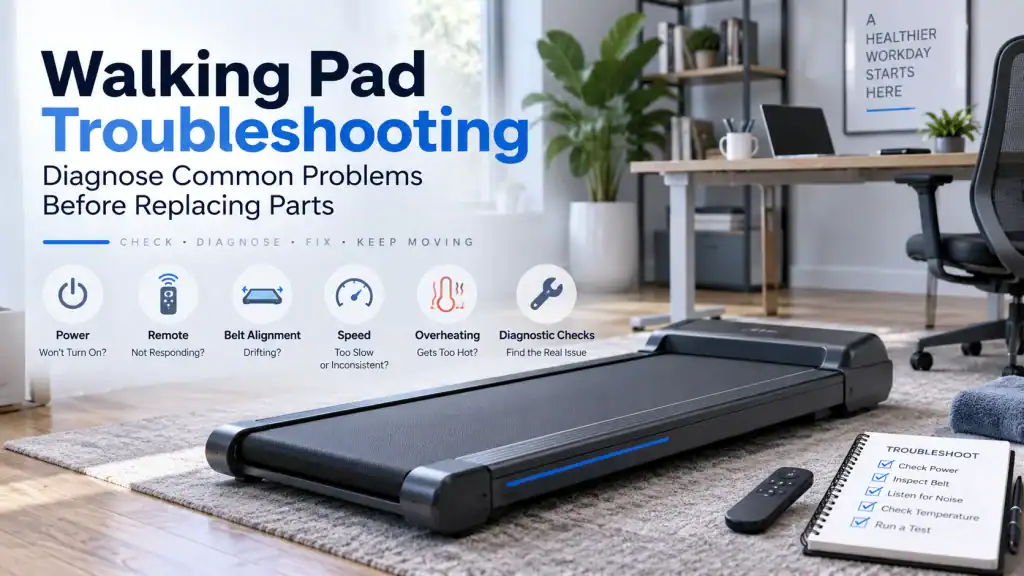
Walking pads look simple because most of the machine is hidden under a slim deck. That can make a fault feel mysterious. The display lights up but the belt will not move. The belt runs perfectly until you step on it. A remote that worked yesterday suddenly does nothing. Or the pad starts normally, then slows, jerks or stops after you have been walking for a while.
Those symptoms do not all point to the same part. A compact walking pad still has a running belt and deck, rollers, a drive system, electronics and, on many models, a remote or app-based control system. The useful clue is usually not the part you suspect first. It is what still works, what stops working, and exactly when the behaviour changes.
Quick answer: Start by identifying the exact symptom and your model. Check the power arrangement, safety key or lock state where fitted, remote or app status, belt position and obvious obstruction. If the belt behaves differently with a person on it than it does unloaded, treat that as a load-related clue rather than automatically blaming the motor. Use the adjustment and lubrication procedure for your exact model, because walking-pad designs and maintenance instructions vary.
Safety first: Stop using the walking pad if it stops abruptly under your feet, smells of burning, produces smoke or sparks, has a damaged mains lead, makes severe grinding noises, or becomes unusually hot. Disconnect it from the mains before inspecting the belt or anything under a cover. Do not perform live electrical tests or defeat an earth connection, safety key, interlock or other protection.
In this guide 21 sections
First, make sure you actually have a walking pad
The name is used loosely. Some products are low-profile, walking-only machines controlled almost entirely by a remote. Others are 2-in-1 or folding machines that can also be used for light jogging. WalkingPad UK, for example, separates walking-focused models from hybrid products with higher speed ranges, while UREVO sells compact under-desk models with remotes and, on selected versions, app control.
That distinction matters during troubleshooting. A model that depends on its remote can appear completely unusable when the remote loses pairing. A model with a safety key can refuse to run because the key is missing or badly positioned. An app-capable version adds Bluetooth and software to the fault path, while an otherwise similar non-Bluetooth version does not.
Before changing anything, photograph the model label. Then find the manufacturer manual for that exact model. Do not borrow an error-code meaning, pairing sequence, belt-lift measurement or lubrication interval from a machine that merely looks similar.
A symptom map before you touch the adjustment bolts
| What the walking pad does | What it suggests first | Best first check |
| Completely dead | Power path, switch, lead, socket or internal power fault | Socket, plug/lead, switch and model-specific start requirements |
| Display on, belt does not move | Start command, lock/safety state, drive path, controller or obstruction | Remote/app, safety device, error display and whether belt is physically obstructed |
| Remote does nothing | Battery, pairing, wrong remote, lock/mode state | Fresh battery and exact model pairing instructions |
| Runs empty, slips or pauses under a person | Walking-belt slip, excess friction, drive-belt slip or load-sensitive drive fault | Compare loaded vs unloaded behaviour without repeated unsafe tests |
| Drifts left or right | Tracking/alignment, floor level or uneven rear-roller adjustment | Floor and manufacturer belt-alignment procedure |
| Jerks or slows on each step | Slip, friction, excessive tension or drive/load problem | Note whether display speed changes and whether it happens only under footfall |
| Stops after several minutes | Heat/load protection, friction, power or control issue | What stops: belt only or entire display, and whether cooling changes it |
| Grinding, scraping or rhythmic clicking | Mechanical contact, debris, roller/drive issue or belt tracking | Stop and locate the sound before continuing |
| Burning smell or unusual heat | Excess friction, motor/drive load, debris or electrical fault | Stop, unplug and follow model support guidance |
The five-minute first pass
- Find the exact model and check its rated user weight, speed range and control method.
- Write down the symptom before resetting anything. Record any error code exactly as displayed.
- Ask what changed: a house move, long storage, recent belt adjustment, lubrication, a new remote battery or a different socket can be important.
- Check safe external basics: mains lead, switch, safety key or lock state where fitted, remote battery, visible belt position and anything trapped at the belt edge.
- Do not keep walking on a pad that suddenly stops, catches or surges. A repeat test is not worth a fall.
If the walking pad will not turn on
Separate a completely dead machine from one that is powered but waiting for a command. If the display is dark, begin outside the machine. Confirm that the socket works with a known-good low-risk appliance, check that the plug and lead are not damaged, and make sure the walking pad’s power switch is actually on. If your model uses a detachable mains lead, make sure it is fully seated.
If the display is lit, do not call it a power failure yet. Some walking pads wait in standby, require a remote, app, safety key or particular mode, or display a symbol that can be mistaken for an error. UREVO, for example, documents an ‘E’ display as standby on some models. That does not mean every E-code on every machine is harmless. The exact model documentation decides.
If the machine repeatedly trips a breaker, the plug or lead becomes hot, or there is visible electrical damage, stop there. Do not move it to progressively larger extension leads or defeat electrical protection to make it run.
If the display turns on but the belt will not move
A lit display proves only that part of the machine has power. It does not prove that the start command is reaching the motor controller, that the controller can drive the motor, or that the mechanical drive path is free.
First check the things your model expects before movement: remote connection, app state, safety key or lock, mode selection and any displayed code. Then, with the machine switched off and unplugged, inspect for an obvious object trapped at the belt edge. Do not put fingers near rollers or open powered covers.
If the machine attempts to start, twitches, beeps or throws a code, preserve that evidence. A twitch is different from complete silence. A model-specific code is more useful than a generic online list. If safe external checks do not resolve it, manufacturer support or a competent technician is the sensible next step rather than swapping a motor or control board by guesswork.
If the remote control is not working
Remote faults are one reason a walking pad deserves its own troubleshooting path instead of being treated as a small treadmill. On some compact models, the remote is the main interface.
- Fit the correct battery in the correct orientation, and try a known-good replacement if the battery is old or uncertain.
- Make sure you are following the pairing sequence for the exact model. Pairing procedures are not universal.
- Check whether the machine is in a mode or lock state that prevents the command you are trying to send.
- If you own more than one compatible machine, consider remote interference or a remote paired to the wrong unit.
- If a replacement remote is needed, match it to the model rather than buying solely by appearance.
UREVO’s UK support explicitly asks for the treadmill model when helping with remote pairing, and its support pages show that pairing sequences differ between models. That is a useful warning against publishing or following one supposedly universal button combination.
If the belt stops, slips or hesitates when you step on it
This is one of the most misleading walking-pad symptoms. The belt can look perfect while running empty because the drive system has very little load. Your foot presses the walking belt against the deck, increasing the force the system must overcome. That is when a loose running belt, dry or worn running surfaces, an over-tightened belt, a slipping drive belt or a load-sensitive drive fault can reveal itself.
The key distinction is between slipping and stalling. If the front roller continues turning while the walking belt pauses, the walking belt may be losing grip. If the drive system itself slows or stops, excessive friction, a drive-belt problem, motor/controller protection or another load-related fault moves higher on the list. Do not assume that more tension is always the cure.
This is also where real owner reports are useful. Walking-pad communities repeatedly describe machines that work unloaded but pause on each footfall, machines made worse by over-tightening, and pads that become jerky after too much lubricant or adjustment. Those reports are not diagnostic proof, but they show why a symptom-first process matters: several different faults feel almost identical under your feet.
Related FixDecoded guide: Treadmill Belt Stops When You Step On It? Causes and Fixes explains the loaded-versus-unloaded diagnosis in greater mechanical depth. Use that rather than duplicating every treadmill test here.
Do not keep tightening the belt until the symptom disappears
A loose belt can slip. An excessively tight belt can increase drag and load the drive system. That makes blind tightening a particularly bad troubleshooting strategy.
If your manual provides a belt-tension procedure, follow it in small, equal increments and test after each change. UREVO’s current belt guidance, for example, uses quarter-turn adjustments for some models. That is evidence for those models, not permission to apply the same number of turns to every walking pad.
If the problem started immediately after you adjusted the belt, undoing an excessive adjustment according to the manufacturer’s procedure deserves consideration before buying parts. If you have already made several large turns and lost track of the original position, stop improvising and use model-specific support.
If the belt keeps moving to the left or right
A belt that walks towards one edge is usually telling you about tracking, not asking for random tension. Start with the surface under the machine. A pad that rocks or sits twisted on an uneven floor can make alignment harder to judge.
Next use the exact belt-centering procedure in the manual. Rear-roller adjustments change both tracking and tension, so large corrections can create a second problem while you are trying to solve the first. Make small changes, allow the belt time to respond, and keep hands and clothing away from a moving belt. If the belt edge is fraying or rubbing heavily, stop before it damages itself further.
If the walking pad feels jerky, weak or slower than it used to
First decide whether the selected speed is changing or whether the belt merely feels as though it is. A display that stays at the same commanded speed while the belt hesitates on each step points towards a mechanical or load-related problem. A displayed speed that changes by itself adds controls, feedback or software to the diagnosis.
Recent maintenance matters here. Too much belt tension can increase resistance. Too little tension can allow slip. Too little approved lubricant on a model that requires it can increase friction, while excessive or misplaced lubricant can contaminate areas where grip is needed. One recent walking-pad owner report described a machine becoming jerky after both heavy lubrication and substantial belt tightening. The useful lesson is not that either action is always wrong. It is that changing several variables at once destroys your baseline.
Related FixDecoded guide: Treadmill Speed Keeps Changing? Why It Surges, Slows Down or Speeds Up covers speed-feedback and drive-system reasoning when the problem is genuinely a speed-control symptom.
If the walking pad stops after 10, 20 or 30 minutes
Timing is evidence. A pad that runs normally from cold and fails only after sustained use may be reacting to heat or load. The first observation is what actually stops.
- Belt stops but the display stays alive: drive load, controller protection, speed feedback or an intermittent connection deserve attention.
- Belt and display both die: the power path becomes more important.
- It lasts much longer with nobody on it: user load and belt/deck resistance move higher on the list.
- It works again only after cooling: a heat-sensitive or overload-related problem becomes more plausible, but that does not identify a specific failed part.
Compact construction does not make repeated thermal shutdowns normal. Check the duty-cycle and usage guidance for your exact model. If it is being used for long under-desk sessions, compare that use with what the manufacturer actually specifies.
Related FixDecoded guide: Treadmill Stops After 20 Minutes? Why It Happens and What to Check goes deeper into heat, load and cooling patterns.
Lubrication: the manual wins
Walking-pad advice often collapses into ‘add silicone’. That is too broad. The right lubricant, quantity, location and interval are model-specific. If the manufacturer says the running surface requires lubrication, use the specified product and method. If the manual does not call for it, do not invent a schedule from another brand.
More is not better. Excess lubricant can migrate, attract dirt, reach surfaces that rely on friction, or leave a slippery floor around a compact machine. Likewise, running a dry belt on a design that requires lubrication can increase belt/deck friction and load.
For the broader maintenance logic, see FixDecoded’s Treadmill Maintenance Guide, which explains why maintenance intervals and running-surface designs should not be treated as universal.
Noise: identify when it happens before trying to silence it
A walking pad is close to the floor, so sound travels through the deck, rollers, casing and the room beneath it. Start by describing the sound and when it occurs.
- Only under each footfall: consider normal impact first, then belt/deck contact or load-related movement if it is excessive.
- Rhythmic at exactly the belt or roller rate: inspect for a repeating contact point, seam, debris or tracking issue.
- Scraping at one edge: belt tracking or physical contact becomes more likely.
- Grinding, harsh knocking or a rapidly worsening mechanical sound: stop using the machine until the source is identified.
- Noise began immediately after belt adjustment: re-check alignment and tension before assuming a bearing or motor has failed.
A mat may reduce transmitted vibration on a suitable hard floor, but it is not a repair for grinding, slipping or overheating. Also check the manufacturer’s placement requirements before putting a walking pad on thick carpet, where ventilation or stability may be affected.
Burning smell or unusual heat is a stop signal
Do not normalise a persistent burning smell as ‘new motor smell’ or keep walking until the machine shuts itself down. Switch it off, unplug it and allow it to cool. Look for safe external clues such as belt rubbing, blocked ventilation, debris around accessible openings or a recent maintenance change.
Manufacturers may recommend model-specific checks for belt lubrication or foreign material, but a smell can also accompany an electrical or drive-system fault. If the smell is strong, returns after basic manufacturer-approved maintenance, or is accompanied by smoke, arcing, discolouration or a hot plug, do not continue using the machine.
Error codes: record first, reset second
Walking-pad error codes are not a shared language. The same letter and number can mean different things across brands and sometimes across models from the same brand. Write down the exact code, model and what the machine was doing when it appeared. Photograph the display if it disappears quickly.
Then use the manual or official support page for that model. UREVO’s support material, for example, maps different codes to safety-lock or wiring checks on particular products. That is precisely why a generic internet table claiming that ‘E2 always means X’ is risky.
App and Bluetooth problems are not mechanical faults
Some current walking pads support an app; others that look almost identical do not. UREVO UK’s support page explicitly lists the models with Bluetooth support and warns that some product names also exist in non-Bluetooth versions.
If the pad works from its physical control or remote but not from the app, keep the diagnosis on the software side first: confirm model compatibility, Bluetooth permissions, app version, pairing state and whether another phone is already connected. Do not adjust the running belt because an app cannot see the machine.
What not to do
- Do not tighten the running belt repeatedly without knowing whether it is actually slipping.
- Do not pour in more lubricant every time the belt hesitates.
- Do not copy an error-code meaning or remote-pairing sequence from a different model.
- Do not bypass the earth connection, safety key, lock or electrical protection.
- Do not run repeated loaded tests on a belt that stops abruptly underfoot.
- Do not open a powered motor/control compartment for exploratory testing unless you are trained and following the manufacturer’s service procedure.
- Do not replace the motor or controller simply because the machine feels weak under load.
A sensible diagnostic order
1. Identify the model: Find the model label, manual, rated load, control method and maintenance instructions.
2. Describe the symptom: Dead, powered-but-stationary, remote failure, slip under load, drift, noise, heat, shutdown or app problem.
3. Preserve evidence: Record codes, timing, sounds and whether the display stays on.
4. Check safe external causes: Power, switch, lead, safety/lock state, remote battery, floor, belt position and visible obstruction.
5. Compare conditions: If safe, note whether the symptom changes unloaded versus loaded, cold versus warm, or before versus after a recent adjustment.
6. Follow model-specific maintenance: Use only the manufacturer’s belt, lubrication, pairing and calibration procedures.
7. Stop before guessing: If the fault points inside the powered drive/control system, or the machine is unsafe, use manufacturer support or a qualified repairer.
Repair, return or replace?
A new walking pad that slips, stops abruptly or throws persistent errors should not become an unpaid engineering project. If it is inside the return or warranty period, document the symptom before making invasive adjustments. Send the seller or manufacturer the model, serial number where available, order details, video of the fault and the exact troubleshooting already performed.
For an older machine, the economics depend on parts availability and the fault. A remote, lead or belt issue may be straightforward. A proprietary control board or motor can make a low-cost pad uneconomic to repair, especially if the running belt and deck are also worn. A good diagnosis tells you when to stop spending as much as it tells you what to fix.
Frequently asked questions
Why does my walking pad work until I step on it?
Your weight increases friction between the walking belt and deck and increases demand on the drive system. A loose running belt can slip, but excess friction, excessive tension, drive-belt slip, worn running surfaces or a load-sensitive motor/controller problem can produce a similar symptom. Do not assume the motor is bad or keep tightening the belt blindly.
Can I use WD-40 on a walking pad belt?
Do not use a general-purpose spray simply because it is slippery. Use only the lubricant type and application method specified by the manufacturer for your exact model. Many machines use a silicone-based running-belt lubricant, but the manual should decide.
Why does my walking pad keep moving to one side?
Belt tracking can be affected by rear-roller adjustment, belt tension and how level the machine sits. Follow the model’s centring procedure in small increments. Large random adjustments can over-tighten the belt while you are trying to centre it.
Why won’t my walking pad remote work?
Start with the battery and exact model pairing procedure. Also check whether the machine is locked, in the wrong mode, or paired to another remote/device. Pairing sequences vary, so a button combination from another model may not work.
Should a walking pad get hot?
Some warmth during operation can be normal, but unusual heat, repeated shutdowns, a hot plug or a burning smell should be treated as a fault signal. Stop, unplug and investigate using the manufacturer’s guidance.
Is a walking pad just a treadmill?
Mechanically they share many principles, but compact walking pads often have lower speed ranges, slim housings and remote/app controls that create different troubleshooting paths. That is why treadmill mechanical guidance can be useful without assuming the products are identical.
The bottom line
Walking-pad troubleshooting gets easier when you resist the urge to fix the first part that comes to mind. A dead display, an unpaired remote, a belt that slips only under body weight and a machine that stops after warming up are four different diagnostic stories.
Start with the symptom. Preserve the clues. Make one change at a time. Let the exact model manual decide belt adjustment, lubrication, pairing and error-code meaning. And if the pad is stopping abruptly, overheating or showing electrical warning signs, the correct next step is not another test walk.
Sources
- WalkingPad UK – Manuals & Guides
- WalkingPad UK – Support Centre
- UREVO UK – FAQs and troubleshooting
- UREVO US – Walking pad belt slipping: causes and adjustment
- UREVO US – SpaceWalk E2 product support
- UREVO US – Strol Lite product support and remote pairing example
- UREVO UK – SpaceWalk E4 product information
- Reddit r/WalkingPads – walking pad troubleshoot (March 2026)
- Reddit r/WalkingPads – slow and weak after adjustment/lubrication (August 2026)
- Reddit r/treadmills – walking pad jerks/stops in centre (April 2026)
- Reddit r/treadmills – walking pad stops suddenly (May 2026)
- Reddit r/WalkingPads – belt malfunction under load (April 2026)