
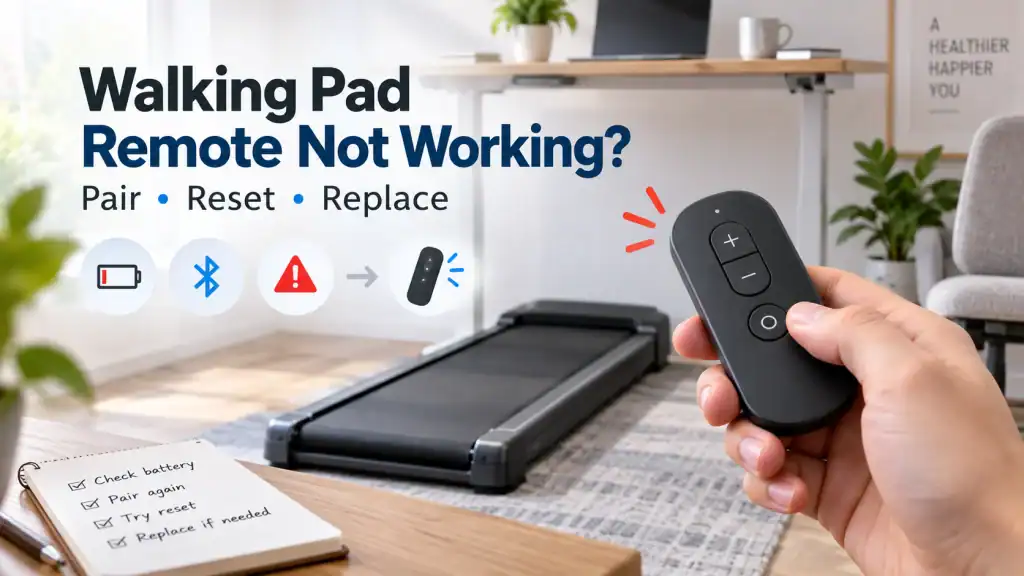
A walking pad remote can look like the least important part of the machine until it stops working. On many compact walking pads, the remote is the main way to start the belt, stop it and change speed. If the remote loses power, loses pairing or is simply the wrong replacement, a mechanically healthy walking pad can suddenly feel unusable.
That is why the quickest fix is not always to buy another remote. A remote that appears dead, a remote that lights up but gets no response, and a replacement remote that will not pair are three different problems. Treating them as the same fault is how people end up buying two or three incompatible remotes for a machine that was never broken in the first place.
Quick answer: Identify the exact walking pad model and version first. Then check the remote battery, make sure the machine is in a state where it can accept commands, and use the pairing procedure for that specific model. If you need a replacement, match it to the model or manufacturer compatibility list rather than the shape, button layout or product photo alone.
Important: Do not bypass a safety key, lock or other safety control simply to make the walking pad run without its normal controller. If the machine starts unpredictably, surges, or responds to the wrong remote, stop using it until the control problem is resolved.
In this guide 18 sections
First, work out which remote problem you actually have
The phrase “walking pad remote not working” hides several different faults. Before resetting anything, put your problem into one of these buckets.
| What you see | Most useful first suspicion | First move |
| No light or response from the remote | Battery, battery contact, damaged remote | Fit the correct battery and inspect the compartment |
| Remote lights up but walking pad ignores it | Lost pairing, wrong mode/state, incompatible remote | Use the exact model pairing procedure |
| Only some buttons work | Button/contact failure or operating-mode restriction | Test when the belt is stopped and compare functions |
| Replacement remote will not connect | Wrong model/version or pairing procedure | Verify compatibility before buying another one |
| One remote controls more than one nearby pad | Remote interference or shared pairing | Re-pair by exact model guidance, one machine at a time |
| App works but remote does not | Remote or pairing path rather than main drive system | Keep diagnosis on the remote/control side |
| Neither app nor remote can start the machine | Machine state, lock/safety condition or deeper control fault | Check manual, displayed code and manufacturer support |
Step 1: identify the exact model before doing anything else
This is the most important step and the one most often skipped. Walking pad remotes are not a universal accessory class. Two remotes can have the same number of buttons and nearly identical cases while using different pairing logic or being intended for different product revisions.
WalkingPad’s current accessory guidance says replacement remotes must be matched to the specific model and product version. UREVO likewise asks for the treadmill model when helping users pair remotes. That is a much better rule than assuming a remote is compatible because an online listing says “universal”.
- Photograph the model label on the walking pad itself, not just the box or online order history.
- Record the full model name, version or revision if one is shown.
- If the original remote has a part number or identifier, photograph that too.
- Check the manufacturer support or accessory page before relying on a marketplace compatibility claim.
- If you bought the machine second-hand, confirm that the remote supplied with it is actually the original or an approved replacement.
Step 2: rule out the battery properly
A weak or incorrectly fitted battery can create confusing symptoms. The remote may light intermittently, work only at close range, or appear to have enough power for an indicator LED while still failing to send a reliable command.
Do not assume every walking pad remote uses the same battery. WalkingPad currently lists a CR2032 coin cell for several models, including C2, A1 Pro, R1 Pro, R2 and Z1, while its P1 and C1 remotes use two AAA batteries. That is a good example of why the model matters even within one brand.
1. Open the battery compartment carefully and confirm the battery type shown by the manufacturer or inside the remote.
2. Check polarity. A coin cell fitted upside down is an easy mistake to make.
3. Fit a known-good fresh battery rather than judging the old one by whether the LED still flashes.
4. Look for corrosion, a bent contact, contamination or a loose spring/contact in the battery compartment.
5. If corrosion is severe, a contact is broken, or the remote has been wet, replacement may be more sensible than repeated pairing attempts.
The remote lights up, but the walking pad does nothing
This is where people often conclude that the walking pad itself has failed. A glowing remote LED only tells you that the remote has some power. It does not prove the walking pad recognises that remote.
Lost pairing is one possibility. Another is that the machine is in a state where the command is not allowed. For example, UREVO notes that some mode changes cannot be made while the treadmill is running. The machine needs to be stopped before changing the mode.
Also check whether your model has a safety key, child lock, standby state or app connection that changes how commands are accepted. A control-state problem can look exactly like a dead remote if you only test the Start button.
How to pair a walking pad remote without making things worse
There is no single pairing sequence that is safe to publish as universal. Some manufacturers use repeated button presses during start-up, some use a button hold, and some require support to provide the model-specific process.
WalkingPad’s current FAQ, for example, gives a pairing method for its own machines that uses the remote’s conversion button while the machine is powering up. UREVO instead directs users to provide the exact model so its team can give the correct pairing procedure. Those two examples are enough to show why copying a random pairing sequence from a forum can waste time.
- Power the machine off first if the manual tells you to start pairing from a cold start.
- Keep other identical walking pads switched off while pairing, especially in an office or shared gym.
- Follow the exact button sequence and timing for your model, not a visually similar machine.
- After pairing, test Start, Stop and a small speed change before assuming every button is mapped correctly.
- If the replacement remote pairs but behaves unpredictably, stop using it and re-check model/version compatibility.
What if the remote suddenly stopped working after months of normal use?
If nothing about the walking pad changed and the original remote simply stopped responding, start with the battery and battery contacts. Then ask whether the remote still shows any sign of life and whether the walking pad still works through another supported control method.
A remote that has been dropped, sat on, exposed to sweat or stored with a leaking battery can fail mechanically even when the walking pad is fine. If only one button has stopped working, the fault may be local to that switch rather than the pairing. If every button stopped at once, battery, pairing or a broader remote fault becomes more likely.
Only some remote buttons work
Partial failure deserves a different test from total failure. First make sure the function is available in the machine’s current state. A mode button that does nothing while the belt is moving may be normal behaviour on a model that only allows mode changes when stopped.
If one physical button consistently fails while the others work in the correct operating state, inspect the remote rather than resetting the whole walking pad repeatedly. A worn or damaged button, contaminated contact or failed switch can affect one command while leaving the rest intact.
Lost the remote? Do not assume an app can replace it
A phone app can be a useful fallback on a model designed to support one, but Bluetooth or app control is not universal. Community posts repeatedly show owners buying second-hand or inexpensive walking pads, losing the remote, and then discovering that the machine has no physical Start button and no supported app control.
WalkingPad supports its KS Fit app on compatible products, but that does not mean every walking pad from every brand exposes a Bluetooth control interface. Before installing random remote-control apps or paying for an app subscription, check the manufacturer documentation for your exact model.
How to choose a walking pad remote replacement
A buyer who already lost or broke the remote usually wants the machine working again, not a lecture on electronics. The goal is to stop them buying the wrong part.
Use this compatibility order:
1. Exact manufacturer replacement listed for your model and version.
2. Manufacturer-confirmed compatible replacement covering your exact model/version.
3. Seller-confirmed third-party replacement with explicit model and revision compatibility, plus a return option if it fails to pair.
4. Only consider a so-called universal remote after you have evidence that your model supports that specific remote or code set.
Do not buy solely because the replacement has the same button labels, the same case shape or a product photo that resembles your original remote. Current WalkingPad guidance explicitly says remote controls should be matched to the specific model and product version. UREVO’s replacement collection gives the same practical message: check your model information against the product details before buying.
Why universal walking pad remotes so often disappoint
The phrase “universal walking pad remote” sounds reassuring, but real-world owner reports show a recurring pattern: a listing claims compatibility, the remote arrives, and it never pairs. Sometimes the replacement uses the wrong control method. Sometimes the model revision is different. Sometimes the seller provides a code or pairing sequence that simply does not work with that machine.
That does not mean every third-party remote is useless. It means compatibility has to be demonstrated, not assumed. If a seller cannot name your exact model or provide a credible pairing procedure and return policy, the cheap remote can become more expensive than the official one after two failed purchases.
A replacement remote arrived but will not pair
1. Confirm the walking pad model and revision again. Do not rely on the marketplace listing title.
2. Confirm the replacement is intended for that exact model or is explicitly listed as compatible by the manufacturer or seller.
3. Fit a fresh battery even if the replacement is new.
4. Power off nearby identical walking pads so you are pairing to only one machine.
5. Use the pairing process supplied for that model. Do not mix instructions from several brands.
6. If the original remote also stopped pairing, the receiver/control side of the walking pad may need manufacturer diagnosis rather than a third remote.
Two walking pads responding to the same remote
This sounds unusual until several identical walking pads are used in the same office or home. UREVO specifically includes remote-control interference between multiple treadmills in its support guidance.
Pair one machine at a time with the other machines powered off, following the manufacturer’s instructions. After pairing, test the controls with the neighbouring machines turned back on. If one remote still controls more than one machine, contact the manufacturer rather than accepting unpredictable starts and stops as normal.
When the remote probably is not the real problem
Do not let the remote become a convenient scapegoat. If the walking pad recognises the remote, beeps or changes its display but the belt still will not move, the fault may sit elsewhere. The same is true if an app and remote both fail while the machine shows an error code or safety state.
- Remote command is acknowledged but the belt does not start: move to the walking pad itself, its safety state and any displayed error.
- Remote and app both fail after an electrical event: treat it as a machine/control-system problem until proven otherwise.
- Walking pad stops or jerks only when you stand on it: that is a load/belt/drive symptom, not primarily a remote problem.
- Machine powers off completely: diagnose the power path rather than repeatedly pairing the remote.
Related FixDecoded guide: Walking Pad Troubleshooting: Diagnose Common Problems Before Replacing Parts covers the broader power, belt, stopping, heat and error-code diagnosis.
When to repair the remote instead of replacing it
If the original remote is no longer available from the manufacturer, a simple physical fault may be worth investigating before abandoning the walking pad. A loose battery contact, minor surface contamination or a visibly damaged battery terminal can sometimes be corrected without touching the walking pad itself.
But there is a sensible limit. Heavy corrosion, broken circuit-board traces, liquid damage or an intermittent remote that starts the belt unexpectedly are not good candidates for casual experimentation. A control that can start moving exercise equipment needs to be reliable.
Buying a used walking pad? Test the remote before paying
The remote problem is especially important in the second-hand market. Several recent community discussions involve machines bought used with a missing or broken remote, followed by a frustrating search for a compatible replacement.
- Start and stop the walking pad with the remote.
- Change speed up and down.
- Check every important button rather than accepting a flashing indicator light as proof.
- Ask whether the model has a supported app and verify it before purchase.
- Photograph the remote and model label in case a replacement is needed later.
A practical decision tree
| If this happens | Do this next |
| Remote shows no life | Fit the correct fresh battery; inspect battery contacts and physical damage |
| Remote lights, pad ignores it | Verify machine state, then use the exact model pairing procedure |
| Some buttons work | Check whether the missing function is allowed in the current mode; then suspect the individual button/contact |
| Original remote lost | Check official replacement availability and app support for the exact model |
| Replacement will not pair | Re-check model/version compatibility before buying another replacement |
| Universal remote listing looks close | Treat appearance as irrelevant unless the exact model is explicitly supported |
| Pad acknowledges command but belt does not move | Leave the remote diagnosis and troubleshoot the machine |
| Multiple pads respond together | Pair one machine at a time and contact support if cross-control persists |
Frequently asked questions
Can I use any remote with a walking pad?
Usually, no. Treat walking pad remotes as model-specific unless the manufacturer or replacement seller explicitly confirms compatibility with your exact model and version. Similar appearance does not establish compatibility.
Why does my walking pad remote light up but not work?
The LED only shows that the remote has power. The remote may have lost pairing, the walking pad may be in a state that blocks the command, or the remote may be incompatible with that machine.
How do I pair a walking pad remote?
Use the procedure for the exact model. Pairing is not universal. WalkingPad publishes a method for its own machines, while UREVO asks users to provide the model so the correct pairing process can be supplied.
Can I control my walking pad with my phone if I lose the remote?
Only if that specific model supports app or Bluetooth control. Do not assume every walking pad does. Check the manufacturer manual or support page first.
Is a universal treadmill remote worth trying?
Only when your exact model is explicitly supported and you can return it if it fails. Community reports show many visually similar or supposedly universal remotes failing to pair with walking pads.
My remote stopped working after I changed the battery. What should I check?
Re-check battery type, orientation and contact, then follow the model-specific pairing process in case the remote needs to be re-paired. If the remote was opened roughly, also check for a bent or displaced battery contact.
What if the manufacturer no longer sells my remote?
Ask support for a confirmed compatible part number or replacement source, check whether the model supports app control, and only then consider a third-party remote that explicitly lists your model. If none exists, the economics of keeping the machine may depend on whether the original remote can be repaired safely.
The bottom line
When a walking pad remote stops working, the most expensive mistake is often buying parts before identifying the control problem. Start with the exact model, then separate battery failure, lost pairing, operating-state restrictions and true remote failure.
If replacement is necessary, compatibility matters more than appearance. Match the model and version, use the correct pairing instructions, and be sceptical of universal-remotes that cannot name the machine they support. A five-minute model check can save several failed purchases and, in some cases, save a perfectly good walking pad from being thrown away.
Sources
- WalkingPad official FAQ – remote batteries and remote-not-working guidance
- WalkingPad official accessories – remote model/version compatibility
- UREVO official FAQs – pairing, multi-treadmill interference and mode behaviour
- UREVO official accessories – replacement remote compatibility guidance
- Reddit r/WalkingPads – lost remote, incompatible replacements (June 2026)
- Reddit r/WalkingPads – replacement remote problem (July 2026)
- Reddit r/treadmills – UREVO SpaceWalk Lite lost remote (April 2026)
- Reddit r/WalkingPads – CitySports replacement remote will not pair (May 2026)