
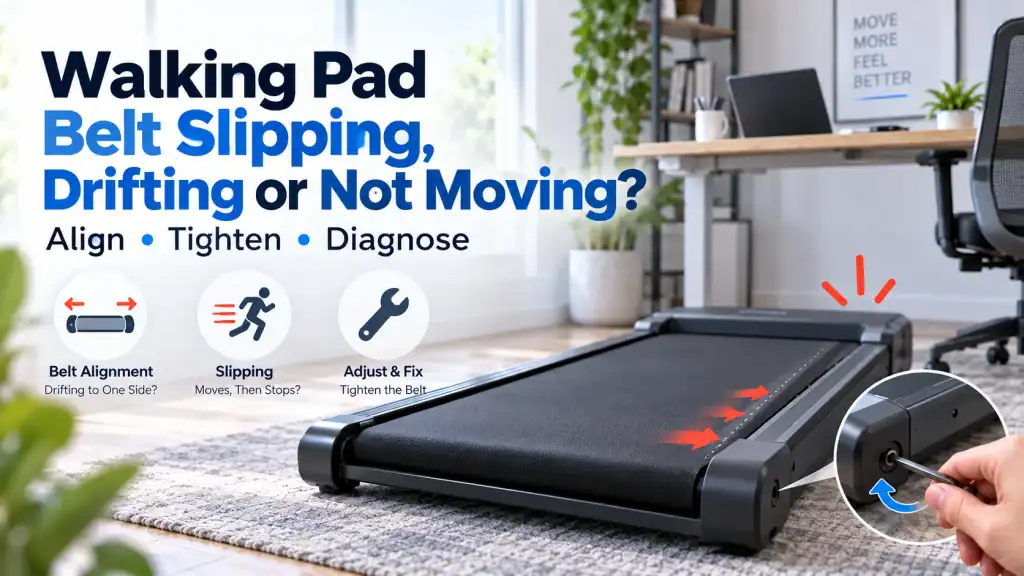
A walking pad belt that slips underfoot, creeps towards one side, or refuses to move can look like one problem. It is not. The useful first step is to identify which part of the motion is failing before you tighten anything.
Walking pad belt problems are easy to make worse because the same two rear adjustment bolts are often used for two different jobs. Equal adjustments change belt tension. Unequal adjustments change tracking. Lubrication changes friction. And if the motor is turning while the walking belt is not, the fault may be inside the drive path rather than in the walking belt at all.
That is why the safest diagnosis starts with behaviour. Does the belt run normally with nobody on it but hesitate when your foot lands? Does it slowly move towards one side even when unloaded? Does the display start a workout while the belt stays completely still? Did the problem begin immediately after you adjusted or lubricated the belt? Each answer points in a different direction.
Quick diagnosis If the belt slips only under your weight, think tension and friction first. If it drifts left or right, think tracking and machine level. If it does not move at all, first separate a control/start problem from a mechanical drive problem. Do not keep tightening the belt simply because it is not behaving normally.
In this guide 15 sections
Start by identifying the exact belt symptom
Before using the Allen key, watch the walking pad at its lowest practical speed from beside the machine. Keep hands, clothing and tools away from the moving belt. You are trying to decide which of these patterns you actually have.
| What you see or feel | What it usually points towards | Do not assume |
| Belt runs empty but briefly slips when you step | Walking-belt tension, belt/deck friction, or less commonly the internal drive belt | That the motor is weak |
| Belt slowly moves towards one side | Tracking, uneven rear-roller adjustment, machine placement or frame level | That both rear bolts need tightening |
| Belt feels jerky or slows with every step | Friction, excessive tension, drive slip or load-related drive weakness | That adding more lubricant will always help |
| Display works but belt never moves | Start/control state, obstruction, drive path, motor/controller or internal mechanical fault | That belt tension is the only issue |
| Problem began after adjustment | Over-tightening, uneven tension or tracking now out of balance | That the original fault suddenly became worse on its own |
| Problem began after lubrication | Excess lubricant, contamination, changed tension after service, or an unrelated fault exposed by testing | That more lubricant is needed |
1. If the belt slips only when you step on it, use the loaded-versus-unloaded clue
A classic slipping complaint is surprisingly specific: the walking pad sounds and looks normal while it runs empty, but the belt hesitates for a fraction of a second when your foot lands. Sometimes it catches up immediately. At low speed, the hesitation can feel like the belt is grabbing your shoe and then releasing it.
UREVO’s current walking-pad guidance describes this loaded-only behaviour as a clue that belt tension or deck friction deserves attention. The important word is clue. A loaded test does not prove that the walking belt is loose, because excessive friction can also make the drive system struggle only when body weight presses the belt harder against the deck.
Check whether the walking belt is genuinely loose before tightening it
On many walking pads, belt tension is adjusted at the two rear roller bolts. Model manuals commonly instruct owners to tighten both sides by the same small amount when correcting true belt slip. Several UREVO manuals, for example, specify equal clockwise changes followed by a low-speed walking test.
Do not copy the exact number of turns from another model. The useful principle is equal, small adjustments followed by testing. Your own manual decides the direction and increment for your machine.
- If the belt slips under a firm footfall but stays centred, tension is a reasonable first check.
- If it already feels tight, the problem began after tightening, or the motor sounds more strained after adjustment, stop adding tension.
- If the belt is both slipping and drifting, correct the basic tension according to the manual before chasing fine tracking, because changing overall tension can also alter tracking.
A useful rule Tension fixes a loose belt. It is not a general-purpose cure for every hesitation. An over-tightened belt can increase roller and motor load, create heat, and make a walking pad feel weaker rather than stronger.
2. Do not confuse a dry deck with a loose belt
The walking belt slides over a deck. When the lubrication specified by the manufacturer dries out, friction rises. Under no load the machine may still look normal. Add a person and the belt is pressed harder against the deck, so the motor has to overcome much more resistance.
That can feel almost identical to slip. The belt hesitates, speed dips at each step, or the machine feels weak at low speed. Tightening a belt that is already correctly tensioned can make this worse because the tighter belt increases the load again.
WalkingPad recommends model-appropriate silicone treadmill lubricant and warns against household oils such as WD-40 or vegetable oil. UREVO and other manufacturers also publish model-specific lubrication quantities and intervals. Follow the manual for your machine rather than a universal calendar copied from another product.
Too much lubricant can create a different kind of slip
More lubricant is not automatically safer. Some UREVO user manuals explicitly warn that excessive lubricant can cause belt slip. Owners also report situations where a freshly lubricated machine becomes messier or more slippery rather than smoother.
If oil is reaching the belt edges, floor or internal drive area, stop adding more. Wipe accessible excess according to the manufacturer’s instructions and let the machine run only as directed by the manual. Do not spray lubricant into the motor housing or onto the drive belt.
3. If the belt moves to one side, treat it as a tracking problem
A walking pad belt moving to one side is not the same fault as a belt slipping underfoot. Tracking describes the belt’s path across the rollers. A badly tracked belt can rub a side rail, produce black dust, fray an edge and eventually damage the belt even if it never slips under your foot.
Before changing the rear bolts, make sure the machine is sitting on a firm, level surface. A light walking pad on uneven flooring or deep carpet can sit slightly twisted. If the frame is not stable, you can spend an hour correcting the belt only to watch it drift again when the machine moves or the floor compresses.
How walking pad belt alignment is normally corrected
Many current WalkingPad and UREVO instructions use the same broad method: identify the side the belt is drifting towards, make a very small adjustment at the appropriate rear roller bolt, then allow the machine to run at low speed for long enough to settle before judging the result.
For example, current UREVO manuals commonly say that if the belt has shifted right, the right rear idler screw is turned clockwise by a quarter turn; if it has shifted left, the left side is adjusted. WalkingPad publishes similar guidance. That does not make the rule universal. Use your model’s manual if its procedure differs.
1. Switch the walking pad off and unplug it before inserting the tool or touching the belt.
2. Confirm which side the belt is actually moving towards, and check that the machine itself is level and stable.
3. Make only the small adjustment specified by your manual. Do not make several full turns because the belt looks far off-centre.
4. Remove the tool, restore power, and run the belt at the low test speed recommended by the manufacturer while standing beside the machine.
5. Give the belt time to settle. Several UREVO manuals specify roughly one to two minutes before judging the correction.
6. Repeat only if necessary. Once it stays centred unloaded, confirm that it also remains stable during normal walking.
Why patience matters Tracking adjustments are sensitive. Owners regularly report turning the bolts repeatedly, overshooting the centre, then creating a second problem such as excessive tension or loaded belt hesitation. Small corrections with a test between each one are safer than chasing the belt from side to side.
4. If the belt runs empty but stops or bogs down under your weight, do not keep tightening forever
This is where a walking pad belt problem becomes more diagnostic than mechanical. If a small tension correction helps, you probably found the issue. If repeated tightening does not change the symptom, continuing to turn the bolts is not evidence-based troubleshooting.
Ask what the motor and front roller are doing when the walking belt hesitates. You should not remove covers or work around powered internal parts to answer this yourself. But the sound and behaviour can still tell you something.
- If the motor sound remains steady but the walking belt pauses underfoot, walking-belt traction or an internal drive-belt slip becomes more plausible.
- If the whole machine audibly labours and the belt slows progressively, excessive belt/deck friction, too much belt tension, roller drag or drive weakness becomes more important.
- If the machine stops and displays an error, record the exact code and model before resetting it. Error meanings are model-specific.
- If the problem appeared immediately after you tightened the belt, undo the assumption that tighter must be better. Return to the manual’s specified tensioning procedure.
Recent walking-pad owner discussions show the same pattern repeatedly: people lubricate, then tighten, then tighten again because the hesitation remains. Some later discover the belt was over-tightened or the actual slip was in the internal drive system. Community reports are not service manuals, but they are useful evidence of how often the visible walking belt gets blamed too early.
5. If the belt does not move at all, first decide whether the walking pad is actually trying to drive it
A walking pad belt not moving at all is a different problem from belt slip. If the display is on, do not immediately tighten the walking belt. First check whether the machine has entered a valid start state.
- Confirm the remote or app is actually starting the workout. Some compact walking pads depend heavily on the remote, and pairing problems belong on a different diagnostic path.
- Check any safety key, lock state or mode required by your model.
- Look for an obvious object caught at the belt edge or roller, with the machine unplugged.
- Listen when Start is commanded. No attempt to move, a brief twitch, a motor sound with no belt motion, and a belt that moves for a second then errors are four different clues.
If the remote itself is the problem, use the FixDecoded guide ‘Walking Pad Remote Not Working? Pair It, Fix It or Find the Right Replacement’ rather than changing belt tension. If the machine clearly commands movement but the belt remains stationary, the fault may be in the internal drive belt, front roller, motor, controller or wiring. Those checks can require cover removal and powered diagnostics, so they are usually better handled by the manufacturer or a qualified technician.
6. Check what changed immediately before the problem appeared
The timing of the fault is one of the best clues you have. Walking-pad problems that appear immediately after maintenance often point back to the maintenance rather than to a spontaneous component failure.
| What changed | What to re-check first |
| Belt was tightened | Equal turns, whether the belt became too tight, and whether tracking changed |
| Belt was re-centred | Whether one side was adjusted too far or the machine itself is not level |
| Lubricant was added | Correct lubricant, correct amount, excess oil, and whether tension was altered during the job |
| Walking pad was moved or stored upright | Machine level, frame stability and belt tracking |
| A new user or heavier load started using it | Published weight limit, loaded-only slip and belt/deck friction |
| Nothing changed, but the fault developed gradually | Normal belt stretch, lubrication condition, debris, roller wear or drive-system wear |
7. Know the signs that the belt is too tight
Over-tightening is one of the easiest ways to turn a simple adjustment into a more expensive problem. A belt that is too tight increases load on the rollers and their bearings, and forces the motor to work against more resistance.
Some manufacturer guidance gives a belt-lift measurement, but FixDecoded does not recommend copying that number across unrelated models. Walking pads differ in deck length, belt construction, roller geometry and adjustment range. Your model’s manual should decide what correct tension looks like.
- The belt became harder to move or the machine became more strained after adjustment.
- New humming, knocking or roller noise appeared after tightening.
- The belt has a visible crease, ridge or unusual deformation that appeared after adjustment.
- The problem does not improve even though the rear bolts have already been tightened repeatedly.
- The belt is difficult to lift or move by hand compared with how it behaved before the adjustment, where the manual permits that check.
If any of those appeared after you adjusted the belt, stop adding tension. Return towards the known previous setting if the manufacturer’s procedure allows it, or contact support if you are no longer confident where the original adjustment was.
8. A belt that keeps drifting may not be an adjustment problem anymore
A correctly adjusted belt should not need constant rescue. If it moves hard to one side every session despite careful model-specific corrections, look beyond the rear bolts.
- Make sure the walking pad does not rock on the floor and is not sitting partly on a rug edge or uneven mat.
- Inspect the belt edge for fraying, stretching or visible damage.
- Check whether the problem appears only with a particular user or walking position. Consistently walking far to one side can influence tracking on a compact belt.
- Consider whether the machine was dropped, heavily flexed during moving, or arrived with the belt badly misaligned from new.
- If one roller appears visibly skewed, damaged or noisy, stop adjusting and contact the manufacturer.
A new walking pad that cannot remain centred after basic adjustment should not require repeated DIY correction throughout its return window. Record a short video showing the drift, the machine on a level surface, and the model label, then contact the seller or manufacturer while replacement remains straightforward.
9. Do not use these common fixes blindly
“Just tighten both bolts until it stops”
That only makes sense when the walking belt is genuinely loose. It can worsen drag and motor load if friction or over-tension is already the problem.
“Add more lubricant”
A dry deck needs the correct lubricant, but excess lubricant can create mess, contamination and additional slip. Use the product and quantity your manufacturer specifies.
“Turn the bolt on the opposite side”
Different internet guides describe tracking adjustments in different ways. Use the exact procedure for your model. Current UREVO and WalkingPad instructions commonly describe tightening the side towards which the belt has shifted, but that should not override your own manual.
“If the belt does not move, the motor is dead”
Not necessarily. A walking pad may be waiting for the remote or safety condition, the drive belt may not be transmitting motion, a roller may be obstructed, or the controller may not be driving the motor. Diagnose how far the start sequence gets before replacing anything.
10. A practical decision path
1. Run the walking pad unloaded at low speed and observe whether the belt is centred, smooth and stable.
2. If it drifts sideways, check the floor and follow the model-specific tracking procedure in tiny increments.
3. If it stays centred but slips only under footfall, check model-specified walking-belt tension and lubrication condition.
4. If the problem began after lubrication, check for excess lubricant and whether belt tension changed during the service.
5. If the problem began after tightening, stop assuming the belt is still loose and consider over-tension or increased drag.
6. If the belt does not move at all, confirm the remote, app, safety state and start command before touching the tension bolts.
7. If a motor sound is present but the walking belt stays still, or careful external adjustments do not change the symptom, stop before opening powered compartments and contact support.
8. If there is a burning smell, hot rubber smell, smoke, severe rubbing, damaged belt edge or sudden uncontrolled movement, unplug the machine and do not continue testing.
When to stop adjusting and contact support
Belt tension and tracking are normally owner-level adjustments because manufacturers expose the rear bolts and often include the matching hex key. Internal drive work is different.
- The belt still slips after correct model-specific tension and lubrication checks.
- The belt cannot remain centred on a confirmed level surface.
- You can hear the motor running but the walking belt does not move, suggesting the internal drive path needs inspection.
- The belt edge is frayed, torn, delaminated or rubbing hard against the frame.
- There is a burning smell, smoke, melted material, electrical noise or repeated fault code.
- The walking pad is new and required major adjustment immediately out of the box.
- Fixing the problem would require removing a motor or controller cover, performing live electrical tests, or bypassing a safety feature.
FAQs
Why does my walking pad belt slip when I step on it?
A loaded-only slip often points towards a loose walking belt or excessive belt/deck friction. Compare unloaded and loaded behaviour, then follow the tension and lubrication procedure for the exact model rather than tightening repeatedly.
Why does my walking pad belt keep moving to one side?
The belt is tracking off-centre. Uneven rear-roller adjustment, an unstable or unlevel surface, or belt and roller wear can contribute. Correct tracking in the small increments specified by the manual and allow the belt time to settle after each change.
Should I tighten both sides of a walking pad belt?
For a genuine loose-belt tension problem, many models use equal changes on both rear bolts. Tracking uses a different, uneven adjustment. The exact direction and increment should come from your model manual.
Can too much lubricant make a walking pad belt slip?
Yes. Some walking-pad manuals specifically warn that excess lubricant can contribute to slip. More lubricant is not a substitute for correct tension, alignment or a healthy drive system.
Why does my walking pad belt run when empty but stop when I stand on it?
Body weight increases friction and required drive torque. The cause can be a loose walking belt, excessive deck friction, over-tightened belt, internal drive-belt slip, roller resistance or a drive-system problem. The loaded-versus-unloaded difference narrows the diagnosis but does not identify one part by itself.
Why is my walking pad belt not moving even though the display is on?
First confirm that the remote, app or safety state is actually sending a start command. If the machine is trying to run but the belt remains still, the fault may be in the mechanical drive, motor control or wiring rather than the walking-belt adjustment.
How often should I adjust walking pad belt alignment?
Only when the belt is genuinely drifting or after a model-specific maintenance procedure calls for it. A belt that needs constant re-centering may have a placement, roller, frame or wear problem that repeated bolt adjustments will not solve.
The useful distinction is not loose versus tight. It is which motion is failing.
A walking pad belt can slip, drift, drag or fail to move, and those symptoms do not share one universal fix. The most reliable approach is to separate tension from tracking, friction from traction, and the walking belt from the internal drive system before you make an adjustment.
If the belt runs normally empty but hesitates under your foot, start with model-specific tension and lubrication checks. If it moves sideways, correct tracking and machine placement. If it does not move at all, confirm that the walking pad is actually receiving and acting on a start command. And if careful external checks do not change the symptom, stop before a simple belt problem becomes an internal repair problem.
That diagnostic order takes a little longer than turning the Allen key immediately. It is also much less likely to leave you with a belt that is tighter, noisier and still broken.
Sources
UREVO Official, 21 July 2026: https://www.urevo.com/blogs/blog/walking-pad-belt-slipping
WalkingPad Official, 2026: https://www.walkingpad.com/blogs/all/how-to-fix-treadmill-problems
WalkingPad Official, 2026: https://www.walkingpad.com/blogs/all/how-to-lubricate-a-treadmill
UREVO SpaceWalk E1L manual reproduction: https://manuals.plus/m/d1c18136268f8f5f11bb5ca8dbf2a8e93f53e0383188d74c11ebec863107060f
DeerRun UK maintenance guide, 2026: https://uk.deerruntreadmill.com/blogs/blog/how-to-look-after-a-home-treadmill-simple-maintenance-tips-for-uk-homes
Reddit r/WalkingPads, January 2026: https://www.reddit.com/r/WalkingPads/comments/1qm6fn5/is_this_belt_slip/
Reddit r/WalkingPads, August 2026: https://www.reddit.com/r/WalkingPads/comments/1vg1ssx/my_walking_pad_feels_slow_and_weak/