
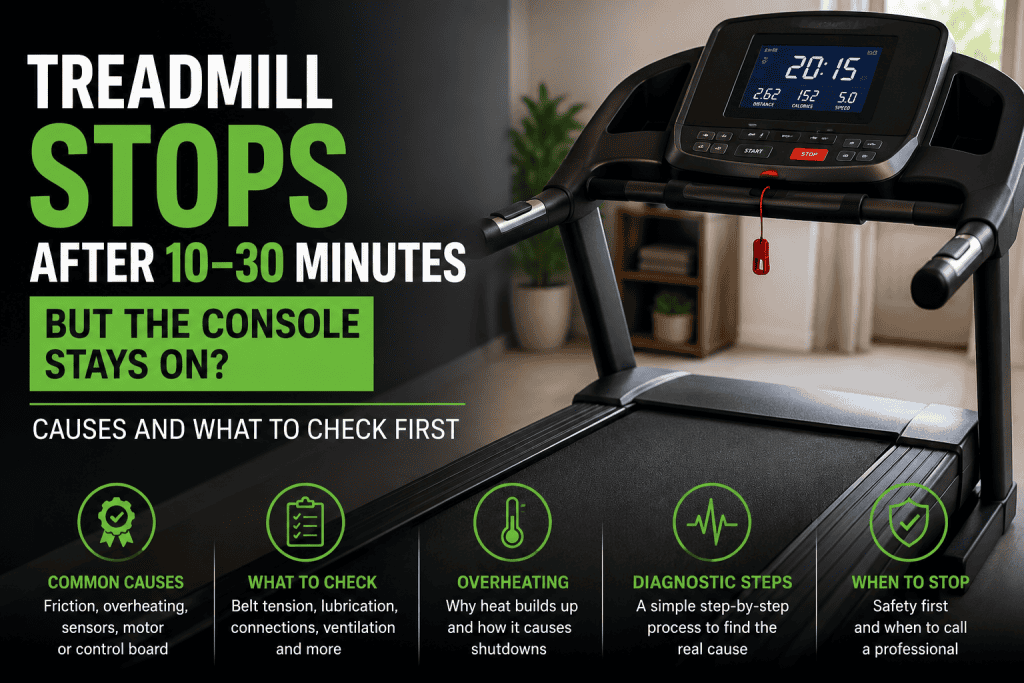
If your treadmill stops after 20 minutes, or after roughly a few minutes, the timing is useful evidence to understand the cause. A belt that stops while the console stays on points to a different fault path from a treadmill that loses all power. Heat, running-belt resistance, drive-system load and speed feedback all become more important when the machine works normally at first and fails only after it has been running for a while.
The aim is not to guess which expensive part has failed. It is to work out what changes as the treadmill warms up and carries a person.
Start here: Let the treadmill cool fully. Note whether only the walking belt stops or the entire machine switches off. If it can be done safely, compare how long it runs with nobody on the belt against normal walking use. That single comparison can narrow the fault considerably.
Safety: Stop using the treadmill if you feel a burning smell, see smoke or arcing, hear grinding, notice damaged wiring, or the belt stops abruptly under your feet. Keep covers in place during powered user tests. Live electrical testing belongs with a suitably trained technician.
| What happens | What it points towards first |
| Belt stops but console stays on | Drive load, belt/deck friction, motor control, speed feedback or an intermittent connection |
| Whole treadmill loses power | Power supply, breaker, cord, switch or another power-path fault |
| Runs much longer with nobody on it | A problem that becomes worse under user load, especially belt/deck resistance or drive capacity |
| Works again after cooling | A heat-sensitive or overload-related fault moves higher on the list |
In this guide 16 sections
First, identify exactly what stops
Owners often describe several different faults as “the treadmill shut off”. Before changing anything, watch what the machine actually does.
- If the walking belt stops but the display remains lit, concentrate first on the drive system, running surfaces, speed feedback and controller protection.
- If the display and belt both go dead, move the diagnosis towards the power supply, circuit protection, switch and wiring.
- If the treadmill slows badly only when somebody is walking on it, user load is a major clue. Read the related FixDecoded guide on a treadmill belt that stops when you step on it.
- If an error code appears, record the exact code before resetting the machine.
This distinction matters because a controller can stop the motor while the console remains powered. Treating that as a general power failure sends the troubleshooting in the wrong direction.
Why a treadmill can stop after 20 minutes
A treadmill does not experience the same load throughout a workout. When you step onto the walking belt, your weight presses the belt against the deck. The drive system must overcome that friction on every footfall.
As a belt and deck wear, become too dry on models that require lubrication, or are adjusted too tightly, the drive motor and controller may have to work harder to maintain the selected speed. Precor service documentation describes input current as a direct indication of treadmill load and notes that belt/deck condition is one of the factors that changes that load. Matrix service guidance uses the same loaded-versus-unloaded principle when diagnosing excessive resistance.
That gives a common failure pattern: the treadmill starts normally, load and temperature build during the workout, the drive system reaches a limit, and the belt stops. After the machine cools, it may work again for a while. Cooling recovery is a clue, not proof that any one part has failed.
1. Compare loaded and unloaded operation
This is one of the most useful observations you can make without opening the treadmill.
After the machine has cooled, run it at a modest speed in accordance with the owner’s manual and observe it briefly with nobody on the belt. Compare that with normal walking use. Do not carry out repeated long tests if the machine smells hot or has already stopped abruptly under a user.
If it runs much longer unloaded: the additional resistance created by a person is exposing the fault. Belt/deck friction, belt tension and the ability of the drive system to sustain load move higher on the list.
If it stops at roughly the same time unloaded: the diagnosis is less strongly centred on footfall resistance. Heat-sensitive electronics, feedback, wiring or another drive fault may deserve more attention.
2. Check walking-belt tension, but do not simply tighten it
A loose walking belt can slip under footfall. An over-tightened belt can create the opposite problem by increasing drag on the drive system. Both can be described by the owner as “the belt stops”.
Use the adjustment procedure for the exact treadmill model. Manufacturer service manuals commonly specify small, equal adjustments and warn against excessive tension. Do not use a belt-lift measurement or number of adjustment turns copied from an unrelated model.
Clues that the belt may be too loose include:
- a brief slip or hesitation during a firm step
- the belt moving normally until footfall loads it
- the problem appearing after the belt has stretched with use
Clues that excessive tension may be contributing include:
- the problem began after a belt adjustment
- belt movement feels unusually resistant with the power disconnected
- the treadmill runs better after the belt tension is corrected to the manufacturer’s specification
3. Check the walking belt and deck for excess friction
With the treadmill switched off, unplugged and cool, inspect the accessible running surfaces. The top of a walking belt can look acceptable while the underside or deck is worn.
Look for:
- fraying, cracking or exposed fibres
- a glazed or unusually smooth underside
- heavy black belt dust
- grooves, rough areas or visible wear on the deck
- uneven wear or contamination
- a deck or roller area that becomes abnormally hot after a short, ordinary workout
Horizon notes that a hot deck and rollers after short use can indicate a lubrication problem on treadmills that require lubrication. Precor and Matrix service procedures go further by measuring load current to confirm whether the running belt and deck are creating excessive resistance.
4. Check the manual before adding lubricant
A common internet answer to almost every treadmill problem is “lubricate the belt”. That is too broad to be reliable.
Some treadmills use silicone-lubricated running surfaces and require periodic maintenance. Other treadmill systems use waxed or otherwise maintenance-free running surfaces. Horizon’s own maintenance guidance explicitly separates silicone surfaces from waxed surfaces and says nothing should be added to a waxed belt/deck system.
Before applying anything, confirm:
1. the exact treadmill model and revision
2. whether the running surface is designed to be lubricated
3. the approved lubricant and quantity
4. the manufacturer’s application and reset procedure
Avoid: Do not use household oil, grease, WD-40 or an arbitrary silicone spray unless the manufacturer specifically approves it for that treadmill. The wrong product can damage the running surface or create a new fault.
5. Notice whether cooling changes the symptom
If the belt stops after about 20 minutes, the machine is left off for a while, and it then runs again, something may be changing with temperature or sustained load.
Possible areas include:
- high belt/deck friction that keeps the drive system heavily loaded
- a drive motor that becomes excessively hot
- motor-controller protection or a controller fault that appears when warm
- a cable or connection that becomes intermittent as components heat and move
- speed feedback that is lost once the belt slows or stalls
Horizon service guidance for an E1 belt-stop fault lists speed sensing, motor-control function, cable connections, the drive motor and excessive belt-rotation resistance as separate possible causes. That is a useful reminder not to treat a timed shutdown as automatic proof of a bad controller.
6. Treat an error code as evidence, not a diagnosis
An error code often tells you what the controller detected. It does not always tell you what physically caused the event.
For example, a treadmill can report loss of speed feedback because the sensor or cable is faulty. It can also lose that feedback because the belt has slowed or stopped under excessive load. The code is the start of the investigation.
Record the exact code, model number and what the belt was doing when the code appeared. Then use the service or owner documentation for that model.
7. Consider speed feedback if the speed reading becomes wrong first
Many treadmills use a speed sensor or similar feedback system to confirm roller or belt movement. A feedback fault may show up as an incorrect speed reading, sudden speed changes, shutdown or an error code.
Do not copy sensor-gap measurements from another treadmill. Sensor type, mounting and adjustment vary by model. If the displayed speed becomes erratic before the belt stops, the speed-feedback circuit deserves specific attention.
8. Check the power arrangement if the console resets or speed is erratic
If only the walking belt stops and the console remains stable, the incoming power supply is not the first place to focus. If the entire treadmill resets, the display flickers, or speed becomes erratic, the power arrangement becomes more relevant.
Follow the electrical requirements in the owner’s manual. Manufacturers may require a dedicated circuit and may prohibit extension leads, surge strips or other shared-power arrangements. Electrical standards vary by country, so use the specification for your treadmill and local supply rather than a generic amperage figure from the internet.
What a technician can test when the simple checks do not solve it
At this point, measuring the treadmill under load is often more useful than replacing parts by guesswork.
Service procedures from Matrix and Precor use electrical current under controlled conditions as an indication of how hard the treadmill is working. The important principle is the comparison, not a universal current number.
Normal unloaded load, excessive load with a user: belt/deck friction becomes a strong suspect because the abnormal demand appears when body weight presses the belt onto the deck.
Excessive load even with nobody on the belt: the technician may look more closely at belt tension, rollers, drive belt, motor condition or another drive-system source of resistance.
Reasonable mechanical load but repeated shutdown: the drive motor, controller, feedback and wiring can then be tested with more confidence.
Technician boundary: Current measurements and controller tests involve powered equipment and may expose mains voltage, moving belts, pulleys and stored electrical energy. They should be carried out only by someone trained for the exact test and machine.
Do not make these common mistakes
- Do not replace the motor simply because it feels hot. A healthy motor can run hot when the belt/deck system is creating too much resistance.
- Do not replace the motor-control board before checking whether the treadmill is being overloaded mechanically.
- Do not keep tightening the walking belt. Too much tension can increase load.
- Do not lubricate until the manufacturer’s maintenance requirement is known.
- Do not repeatedly reset and continue a workout when the belt is stopping unexpectedly.
A sensible diagnostic order
1. Confirm whether only the belt stops or the whole treadmill loses power.
2. Record the approximate run time, speed, incline, error code and whether the machine restarts after cooling.
3. Compare brief unloaded operation with normal loaded use, if it is safe to do so.
4. Check the manufacturer procedure for walking-belt tension.
5. Inspect the running belt and deck for wear, heat and abnormal friction.
6. Confirm the correct lubrication requirement for the exact model.
7. If an error appears, use the model-specific troubleshooting information rather than the code alone.
8. If the problem continues, have the drive system tested under load before expensive parts are replaced.
When to stop using the treadmill
Stop and arrange qualified service if you notice any of the following:
- burning smell or smoke
- arcing or melted wiring
- repeated circuit-breaker trips
- grinding or severe mechanical noise
- a belt that stops abruptly beneath the user
- visible damage to the power cord or plug
- extreme heat from the motor compartment
- a repair that requires live electrical testing beyond your experience
The bottom line
When a treadmill stops after 20 minutes but the console stays on, the most useful clue is the pattern, not the clock itself. Start with what changes under load and over time. Running-belt tension, belt/deck friction and maintenance condition can all increase the demand on the drive system. If those are ruled out properly, the motor, controller, speed feedback and wiring can be tested far more logically.
That approach is slower than guessing, but it is much less likely to turn a maintenance problem into an unnecessary motor or control-board replacement.