
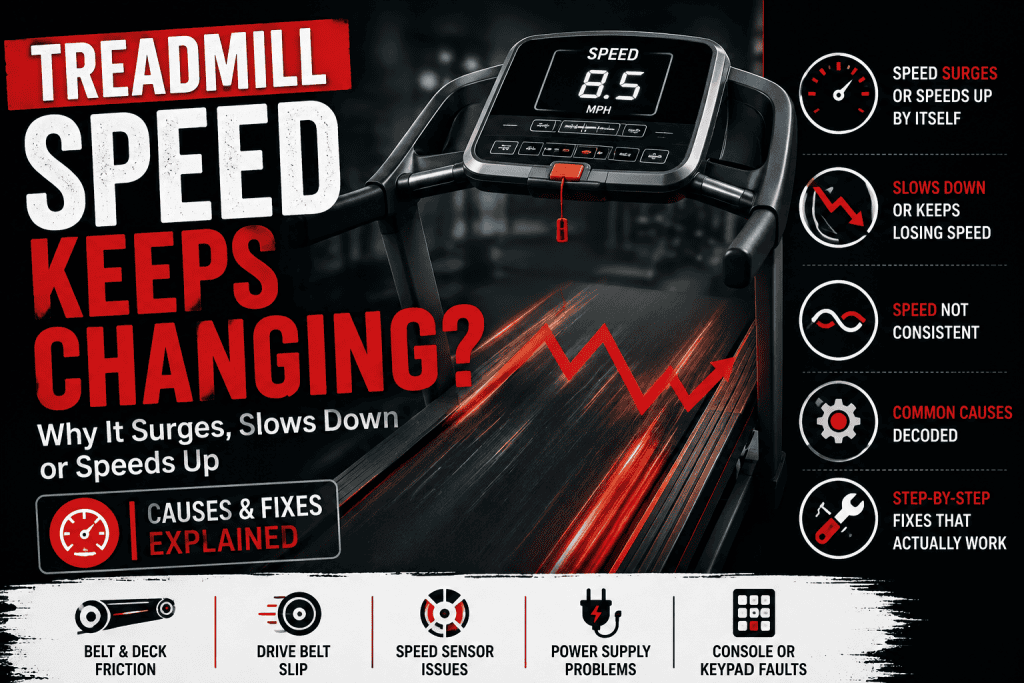
A treadmill that doesn’t hold a steady speed can feel more alarming than a machine that simply doesn’t start. For example, you set 5 mph, settle into a rhythm, and then the belt briefly slows under your foot. Or, it surges forward, hesitates every few seconds, or seems to speed up even though nobody touched the controls.
Those behaviours are easy to lump together as a bad motor or bad control board. That is where expensive guesses begin. A treadmill can change speed because the walking belt is slipping, the running surface is creating too much drag, the drive belt is losing grip, the speed feedback is unreliable, the incoming power is unstable, or the electronics are actually being told to change speed.
The useful clue is not simply that the speed is wrong. It is how the speed changes, whether the display changes with it, and what happens when body weight, higher speed or incline is added.
In this guide 15 sections
First, work out what is actually changing
Before opening anything, run the treadmill only if it is safe to do so and watch the console as the fault appears. If the belt suddenly speeds up but the displayed speed stays fixed, that points in a different direction from a machine whose display also changes and beeps as though a speed button was pressed.
Also notice whether the whole walking belt loses speed or whether you feel one brief slip under a footfall. A loose walking belt can slip against the roller and feel like a speed drop even though the motor has not actually slowed. A drive system fighting excessive friction can slow more broadly under load.
| What you notice | What it suggests first |
| Display stays steady but belt surges or slows | Mechanical slip, running-surface friction, speed feedback, drive motor or motor-control behaviour |
| Display changes at the same time | Keypad, console command, workout programme or upper-control issue becomes more relevant |
| Speed changes mostly when you step on the belt | Walking-belt slip, belt/deck friction or a drive system struggling under load |
| Speed becomes unstable only when running faster | Mechanical resistance, drive belt, motor, controller or power quality deserves attention |
| Belt races immediately after Start | Stop using the treadmill. A speed-feedback or control fault may be present |
| Machine stops completely rather than merely changing pace | Move to the shutdown, no-movement or breaker diagnostic path that matches what actually happened |
Do not start by tightening the walking belt
Tightening the belt is one of the most common internet fixes for unstable treadmill speed. It is useful only when the belt is genuinely too loose. Too much tension increases the force needed to move the belt and can place extra load on the rollers, motor and controller.
A loose walking belt often gives a short hesitation when your foot lands. The belt may then catch up. If the entire belt slows for as long as your weight is on it, the problem may be broader than traction alone.
If your treadmill behaves normally with nobody on it but slows or stalls as soon as you walk, that symptom already has a dedicated FixDecoded guide: Treadmill Belt Stops When You Step On It: Find the Cause Before Tightening Anything.
Friction can look like an electronic speed problem
The walking belt has to slide across the deck thousands of times during a workout. When that interface becomes too dry, worn or incorrectly tensioned, the drive system has to work harder to maintain the commanded speed. The result can be hesitation, slowing under load, extra heat or eventually a shutdown.
This is also why adding lubricant blindly is a poor fix. Some treadmills use owner-lubricated silicone systems. Others use waxed or maintenance-free running surfaces with different service requirements. Check the manual for the exact model before applying anything under the belt.
If lubrication is specified and overdue, service it exactly as the manufacturer describes. If the belt underside is glazed, frayed or heavily worn, or the deck is rough or damaged, lubrication cannot restore worn material.
A loose drive belt can create a different kind of surge
There are usually two belts involved in a conventional motorised treadmill. The walking belt is the large surface you stand on. A smaller drive belt transfers rotation from the motor to the front roller.
If that drive belt loses grip, the motor can continue turning while the roller momentarily falls behind. The sensation may be a skip, pulse or surge rather than a smooth reduction in speed. Landice service documentation lists loose drive-belt and tread-belt conditions among causes of erratic or surging speed.
Inspecting belt condition with the machine unplugged is reasonable if the manufacturer provides owner access. Adjusting drive-belt tension is more model-specific. Do not copy a deflection measurement or adjustment procedure from another treadmill just because the machines look similar.
The speed sensor matters, but it is not always the guilty part
A motor controller needs feedback about how fast the drive system is actually moving. Depending on the design, that feedback may come from a magnetic sensor, reed switch, optical sensor or encoder.
If the feedback becomes intermittent, the controller can make the wrong correction or decide that expected movement is missing. That can produce surging, an incorrect speed reading, brief movement followed by a stop, or an error code on some models.
Sensor location and adjustment are not universal. A gap copied from a different model can create a new problem. If your service manual specifies an owner-accessible sensor inspection, look for obvious dirt, a loose connector, a displaced sensor or damaged wiring with the treadmill unplugged. Otherwise, record the symptom and leave live signal testing to a technician.
When the display changes too, look higher up the control chain
Suppose the treadmill accelerates and the number on the display changes at the same moment, perhaps with the normal button beep. That is not the same as the belt physically surging while the console still says 5 mph.
Older Johnson and AFG service material specifically separates unstable running-belt speed from a treadmill that increases speed without command while the display changes. In that second pattern, the keypad and upper control electronics become more relevant.
Before assuming a failed console, make sure the treadmill is not following an interval, heart-rate, adaptive or trainer-led programme that is supposed to change speed. Then check for a sticky speed key or obvious liquid contamination around the controls. If a button behaves intermittently, stop using automatic workouts until the cause is known.
Power problems can masquerade as speed problems
A treadmill motor does not draw the same amount of power at every moment. Demand changes with speed, incline, user load and mechanical resistance. A marginal supply can therefore look fine at an easy walk and become troublesome when demand rises.
Horizon currently groups erratic speed and stop-reset behaviour into the same troubleshooting path and tells owners to verify the specified power source, direct wall connection and dedicated circuit for the machine. The important word is specified. Electrical requirements vary between models and countries.
Do not assume that every treadmill needs the same circuit rating, surge device or outlet arrangement. Follow the electrical section of your own manual. If a wall socket is loose, damaged, hot or discoloured, stop using it and have the supply checked by a qualified electrician.
If an actual household breaker, GFCI/AFCI or the treadmill’s own protection is tripping, that is no longer just an unstable-speed problem. Continue with Treadmill Keeps Tripping the Breaker? What It Means and What to Check.
What if the treadmill keeps stopping and starting?
This is where wording matters. Some owners describe a speed dip as the treadmill ‘stopping’. Others mean the belt comes to a complete halt, the console resets, and then the machine can be started again.
If it repeatedly slows almost to zero and recovers without the console rebooting, stay with the speed-control path in this guide. If the entire treadmill loses power, investigate the power path. If the belt stops but the console remains alive, drive control and speed feedback become more relevant.
A treadmill that consistently works for roughly 10 to 30 minutes before stopping has a different diagnostic pattern because heat and sustained load become much more useful clues. Use Treadmill Stops After 20 Minutes? Why It Happens and What to Check.
If the console powers up normally but the walking belt will not start at all, use Treadmill Turns On but Belt Won’t Move? Diagnose It Before Replacing Parts.
Do not overlook the safety key
An intermittent safety-key connection can imitate a sudden stop on some treadmills. The clue is whether the machine reacts in the same way as it does when the key is deliberately removed. If pulling the key clears the display or produces a particular warning and your random fault looks identical, the key or its sensing circuit deserves attention.
Do not bypass the safety system to prove the theory. Clean and reseat the key only as the manufacturer allows. A damaged key, clip, magnet or switch should be replaced with the correct part rather than defeated.
When higher speed exposes the fault
A treadmill that is stable at a walk but becomes erratic during a run is giving you useful information. Higher belt speed increases the demand on the drive system. A marginal drive belt, worn running surface, weakening motor, poor electrical supply or controller problem may only become obvious once that demand rises.
Do not repeatedly test a treadmill at running speed if it is surging. Unexpected acceleration or deceleration can cause a fall. Once the pattern is established, further high-speed diagnosis belongs on the service side of the machine, not under a runner’s feet.
What a technician can test that you should not
Once the owner-level checks stop producing useful evidence, a technician can compare actual belt speed with commanded speed, inspect speed-feedback signals, measure current draw under controlled load, evaluate motor and controller behaviour, and check the power supply while the fault occurs.
Those measurements matter because several failures can produce the same sensation. High current can come from excessive belt/deck friction, a mechanical problem or an electrical fault. A controller that appears to be hunting for speed may actually be reacting to bad feedback. A motor that seems weak may be fighting a worn running surface.
Avoid live voltage measurements, controller adjustments and improvised motor tests unless you are trained and have the service procedure for the exact model. Treadmill controllers can expose hazardous voltage even when the symptom itself seems minor.
A practical way to narrow it down
Start with the behaviour, not a replacement part. If the display stays fixed while the belt changes speed, concentrate first on the physical drive, running surface, feedback and lower-control side. If the display changes too, check whether the machine is receiving a genuine command from a programme, button or console fault.
Then add load to the story. Does it happen only when somebody is walking? Only at running speed? Only after the machine warms up? Does incline change the symptom? Does the console reset? Does a breaker trip? Each answer moves the diagnosis into a more specific branch.
That approach is slower than ordering a control board after reading one forum comment, but it is far more likely to fix the actual treadmill.
When to stop using the treadmill
Stop testing and arrange qualified service if the belt accelerates unexpectedly, the treadmill cannot maintain a safe walking speed, there is a burning smell, smoke, arcing, melted wiring, a hot or damaged plug, repeated breaker trips, severe grinding, or an error that returns immediately after the manufacturer-approved reset.
A speed fault is a safety issue as well as a repair issue. Even a brief surge can throw a runner off balance. Do not use a person as the test load once the machine has shown unpredictable acceleration.
The bottom line
When treadmill speed keeps changing, the pattern tells you more than the parts list. A brief slip under a footfall is not the same as the whole belt slowing. A belt that surges while the display stays fixed is not the same as a console that changes the commanded speed. A problem that appears only at high speed is not the same as one that starts the moment you press Start.
Check the correct power arrangement, belt and deck maintenance, walking-belt behaviour and obvious accessible connections first. Use the exact manual before adjusting tension or sensor position. If the machine still surges, slows or accelerates unpredictably, the next useful step is measured diagnosis of the feedback, motor, controller and mechanical load, not another guessed part.
Sources
• Horizon Fitness, How to Fix a Treadmill that is Stopping and Starting
• SOLE Fitness, Why Does My Treadmill Keep Stopping & How to Fix It
• Landice L7/L8/L9 90 Series Service Manual
• Johnson Health Tech, Treadmill Troubleshooting and Maintenance