
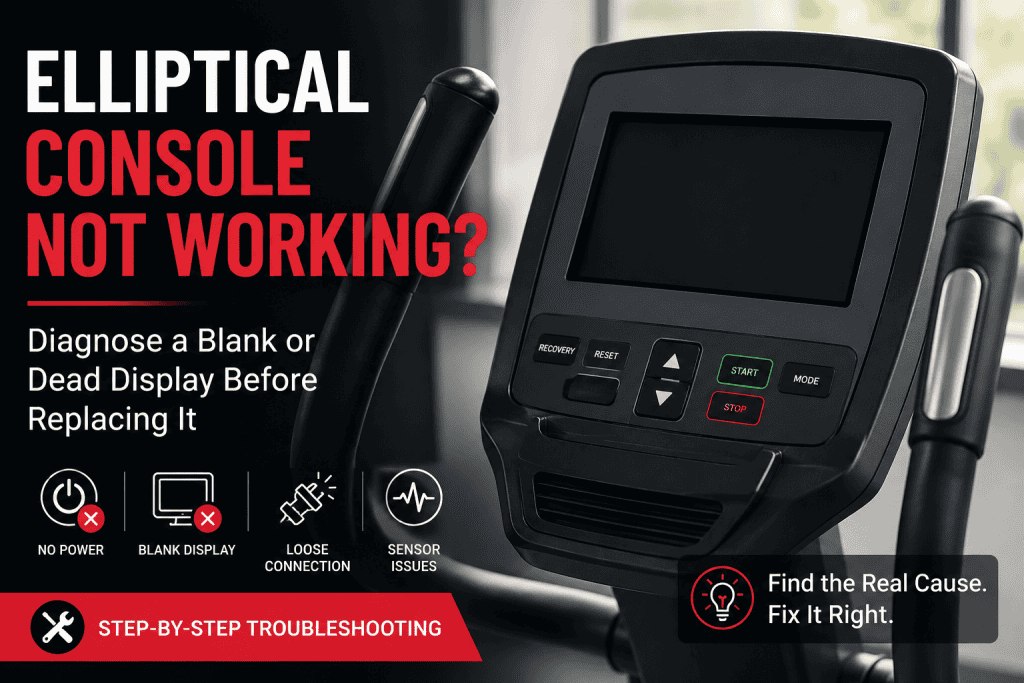
An elliptical console that suddenly goes dark can make the whole machine feel dead. Sometimes the display really has failed, but a surprising number of “dead console” cases begin somewhere else: weak batteries, the wrong adaptor, a connector that loosened inside the upright, a cable pinched during assembly, a self-powered machine that has not generated enough power yet, or a movement sensor that has stopped telling the console the pedals are turning.
The useful question is not simply whether the screen works. It is what the machine still does when the screen misbehaves. If your elliptical display is not working at all, that is a different starting point from a screen that lights but refuses to respond. A completely black console, a faint LCD, a display that reboots halfway through a workout, and a screen that stays on but shows zero RPM are four different faults. Treating them as the same problem is how perfectly good consoles get replaced.
This guide works through those symptoms in a practical order. It is intentionally model-agnostic because ellipticals use several different power and control designs. Keep the owner’s manual for your exact model nearby, especially before opening covers or using a reset procedure.
In this guide 18 sections
Start with what the console is actually doing
| What you see | More likely area | First check |
| Screen completely dark, no beep or lights | Power source, adaptor, batteries, harness, console power | Confirm how this model is powered, then verify the source |
| Display is faint, flickers or resets | Weak or unstable power, loose connection, moisture, console fault | Fresh batteries or correct adaptor, then reseat console wiring |
| Screen lights but buttons do not respond | Keypad, software state, ribbon/data connection | Power cycle and use only the model-specific reset procedure |
| Console works but speed/RPM stays at zero | Speed sensor, magnet, sensor wiring | Inspect movement feedback before blaming the display |
| Console changes resistance number but pedal load does not change | Resistance system rather than display | Diagnose the resistance motor/brake/cable separately |
That distinction matters. Sears PartsDirect, for example, separates a console that does not power on from a console that powers on but reports incorrect workout information. In the second case, it points owners towards the reed switch or sensor wiring rather than straight to the display assembly. Horizon documentation makes the same distinction on models where the console lights up but Time or RPM does not count.
Before touching anything, work out how your elliptical gets console power
There is no single “elliptical power system”. Home machines commonly use replaceable batteries, a low-voltage DC adaptor, or a mains lead feeding electronics inside the frame. Some commercial and higher-end units are self-powered: pedalling turns a generator that wakes and sustains the console. Life Fitness currently sells self-powered elliptical configurations where pedalling supplies the console, while some touchscreen configurations still require an outlet. Precor also lists self-powered models and console combinations.
This is why “it is plugged in” is not always enough information, and why “there is no power cord” does not necessarily mean something is missing. Check the model label and manual first. If the machine is self-powered, pedal at a steady pace for several seconds before concluding that the display is dead. If it uses batteries, replace the full set with fresh cells of the specified type. Do not mix old and new batteries.
For an adaptor-powered elliptical, read the label on the original adaptor and the machine before substituting anything. Voltage, polarity and connector size matter. A generic plug that happens to fit is not proof that the adaptor is compatible. An underrated or failing supply can also cause a console to start, dim, reboot or behave erratically rather than simply remain off. So if the elliptical screen is not turning on, prove the supply before treating the screen as the failed part.
The five-minute checks that solve a lot of “dead screen” problems
Do these before removing the console. They are simple, but they also create useful evidence about where the fault is.
- Prove the outlet. Test the wall socket with another device. If the elliptical uses a removable mains lead or adaptor, make sure both ends are fully seated. Avoid diagnosing through a questionable extension lead or overloaded power strip.
- Replace batteries rather than judging them by appearance. A battery can look fine and still sag under load. Replace the complete set, confirm polarity, and inspect the battery contacts for corrosion or a spring that is not touching the cell properly.
- Power-cycle the machine. Switch it off if it has a switch, unplug the power source, and leave it disconnected for about a minute. Battery-powered consoles should have the batteries removed for the same pause. Reconnect and test again. This is a power cycle, not a model-specific factory reset.
- Try the expected wake-up action. Some consoles wake with a key press. Others wake when you start pedalling. A self-powered unit may need a minimum cadence before the display comes alive.
- Watch and listen closely. A beep, fan response, Bluetooth light, backlight glow or resistance-motor sound proves that at least part of the electronics is receiving power. Write down exactly what still works before you move on.
If the console comes back after a simple power cycle but later starts resetting again, do not call the problem solved yet. Intermittent resets often deserve a second look at the power supply and wiring because a poor connection can recover when the machine is moved and fail again under vibration.
If the problem started after assembly or after moving the elliptical
A brand-new machine with a dead console is not automatically a bad console. The upright mast usually carries one or more harnesses from the base to the display, and those connectors are easy to leave partially seated. A cable can also be trapped between metal sections while the mast is bolted down. The machine may look perfectly assembled from the outside while one conductor is crushed inside.
Unplug the machine before loosening the console or mast hardware. Follow the assembly diagram in the manual and inspect the connection points that were handled during installation. Look for a connector that is not fully latched, bent pins, a wire pulled partly out of its plug, flattened insulation, or a harness stretched tight around a bolt. Do not force keyed connectors together. If the plug only fits one way, forcing it can create the failure you are trying to diagnose.
Horizon’s consumer guidance for erratic or incomplete elliptical displays specifically tells owners to unplug the unit, remove the console, and verify that its wiring connections are secure. That is a useful clue for almost any recently assembled machine: check the work that was just done before buying parts.
The screen is still dead: reseat the console connection
If the power source is known good, the next sensible checkpoint is the connection at the back of the console. This is still a relatively low-risk inspection on many home ellipticals, provided the machine is unplugged and the manual permits console removal.
Take a photo before disconnecting anything. Release connectors by the plug body rather than pulling on the wires. Inspect the pins and sockets under good light, then reconnect them firmly. A connector can appear attached while sitting a millimetre short of full engagement. On machines that have separate plugs for power, keypad, heart-rate sensors or speakers, do not assume every loose plug is meant to be populated. Use the wiring or assembly diagram for your exact model.
While the console is off, inspect the harness where it enters the mast. Damage often appears at bends and pinch points rather than in the middle of a visible cable. If the fault began immediately after the machine was moved, this becomes even more important.
What a faint, flickering or repeatedly resetting display usually tells you
A display that is dim or unstable is different from one that never receives power. Horizon lists weak batteries and insecure wiring among the first checks for consoles that reset, show erratic readings or fail to display the full LCD. That makes sense electrically: the console may be getting enough power to start, but not enough stable power to stay running.
Start with fresh batteries or the correct power supply, then reseat the console harness. If the screen resets only when the pedals or moving arms vibrate, a loose connection becomes more suspicious. If it resets when resistance or incline changes, the problem may involve the machine’s wider power or control system rather than the LCD itself.
Moisture is another clue worth taking seriously. Sweat can reach console seams and button membranes, especially on older machines where seals have hardened. User reports occasionally trace erratic readings or resets to moisture on the console board. Treat that as a reason to inspect, not as permission to flood the board with cleaner. Disconnect power, allow the area to dry fully, and use only manufacturer-approved cleaning methods. If there is visible corrosion or liquid damage inside the console, professional repair is the safer route.
The console has power but is frozen, beeping or ignoring buttons
Once a display lights up, the diagnosis changes. A frozen screen, repeated beeping, or buttons that no longer register can come from a software state, a stuck membrane key, a damaged keypad ribbon, or a communication problem between the console and lower electronics. It can still be a failed console, but you now have evidence that basic power is reaching it.
Use the reset procedure written for the exact model. This point matters more on modern connected ellipticals because manufacturers use very different reset sequences. Some basic Horizon consoles clear or reset selections by holding STOP, while certain connected consoles have separate recovery or software-update procedures. A random “paperclip reset” copied from another NordicTrack or ProForm model can be irrelevant to yours, and a factory reset may erase Wi-Fi, profiles or downloaded data.
If your manufacturer provides a software update for a known blank-screen condition, follow that path before replacing hardware. Horizon, for example, has documented an EX-59 blank-screen issue where updating the console software is the recommended fix. That does not make firmware the answer for every elliptical. It shows why model-specific support information should outrank generic reset advice.
A useful clue is whether the console reacts at all. If pressing a button produces a beep but the display never changes, power is present and the keypad or software may be registering at least some input. If one key appears permanently active, the console may refuse other commands. Older membrane keypads can fail this way.
Display works, but speed, distance or RPM stays at zero
This is one of the easiest faults to mislabel as “the console is broken”. If the display boots normally, menus work, and the screen simply does not recognise pedal movement, the movement-sensing circuit deserves attention first.
Many ellipticals use a reed switch or Hall-effect sensor positioned near a magnet on the flywheel or pulley. Each pass of the magnet gives the electronics a movement pulse. If the sensor moves too far away, the magnet comes loose, the sensor wire is damaged, or the connection opens, the console can remain perfectly readable while showing zero speed or RPM.
Sears PartsDirect specifically points to the reed switch and sensor wiring when an elliptical console powers on but displays incorrect distance, time or similar feedback. ProForm manuals for some models likewise instruct owners to adjust the reed switch when the console does not show correct feedback. On those machines, the fix is about sensor spacing and alignment, not the LCD.
Before opening the flywheel housing, check the manual. The sensor location and correct gap vary by model. If the machine is under warranty, do not dismantle covers simply because a generic guide shows a reed switch on a different elliptical.
If your problem is broader than the display, use our elliptical troubleshooting guide to separate power, movement, noise, incline and resistance symptoms before you open the machine.
The resistance number changes on screen, but the pedals feel exactly the same
That symptom belongs in a different branch of the diagnosis. The console is clearly alive enough to accept an input and update the displayed level. The fault may be in the resistance motor, magnetic brake, cable mechanism, lower controller or wiring between them. Replacing the display just because the physical resistance does not change can be an expensive guess.
There is also a useful opposite clue. Sears notes that if the resistance value shown on the console itself does not change when the buttons are pressed, the console can be implicated. If the displayed level changes but pedal resistance does not, the problem is more likely downstream of the console.
For that symptom, switch to our dedicated elliptical resistance not changing guide rather than continuing to treat the display as the primary fault.
When a multimeter is useful, and when it is not worth the risk
A meter can turn a vague “no power” complaint into a much narrower diagnosis, but only if you are testing a part of the circuit you understand. For a plug-in elliptical with an external low-voltage DC adaptor, a competent user can compare the adaptor output with the value printed on its label using the correct DC range and polarity. If you are not comfortable using a meter, skip this step.
Do not probe exposed mains wiring or an energised internal power board. Those checks belong to a technician. Even after unplugging, some electronic assemblies can retain charge.
Service documentation shows why voltage testing can be decisive. One Horizon service procedure for a no-power console tells the technician to verify the correct 12 V adaptor, then check for approximately 12 V DC through the console cable. If voltage reaches the console and the cable is sound, the procedure points to the console itself. The exact voltage is model-specific, so never borrow “12 V” as a universal target. Use the specification for your machine.
A practical decision path before ordering a new console
1. Confirm the machine’s power design: batteries, low-voltage adaptor, mains-powered electronics, or self-powered generator.
2. Verify the source: fresh batteries, known-good outlet, correct adaptor, and the expected wake-up action.
3. Power-cycle the machine and note any signs of life such as beeps, backlight, Bluetooth, fan or motor response.
4. If the problem followed assembly or moving, inspect the console and mast harness for a loose, pinched or damaged connector.
5. If the display is on but workout data stays at zero, inspect the speed/RPM sensor circuit before condemning the console.
6. If the display is on but frozen or unresponsive, use only the reset or software procedure published for that model.
7. If correct power reaches the console, the wiring is intact, and the unit still will not boot or respond, console failure becomes much more plausible.
Notice what this sequence does: it earns the conclusion. “Bad console” should be the result of eliminated causes, not the first part ordered because the screen is dark.
When the console probably is faulty
There is no single test that proves every console has failed, but the case becomes strong when several things line up: the correct power source is verified, the machine’s harness is intact and fully seated, model-specific resets or updates do not recover the display, and the expected low-voltage supply reaches the console. A console that shows visible burn marks, liquid corrosion, a failed LCD segment pattern that never changes, or a non-responsive keypad after known-good wiring also deserves suspicion.
Before buying a replacement, record the full model number, version number if present, and the part number printed on the console assembly. Two consoles can look almost identical and still use different firmware, pinouts or resistance logic. Do not buy a near-match solely because the buttons and plastic housing look the same.
For a new or recently purchased elliptical, warranty support should come before deep disassembly. A pinched assembly cable is one thing; opening sealed electronics or replacing boards on a new machine can turn a simple warranty claim into an argument about unauthorised repair.
Repair the console or replace the whole elliptical?
Older ellipticals create a different problem: the diagnosis may be clear while the correct console is discontinued or disproportionately expensive. At that point, compare the part cost with the condition of the rest of the machine. A solid frame, quiet bearings, good drive belt and otherwise healthy resistance system can justify a console replacement. A machine that also has worn rollers, noisy bearings, damaged pedal joints and unavailable parts is harder to defend.
Used and refurbished consoles can be sensible for discontinued models, but verify the exact part number and return policy. “Compatible with NordicTrack” or “fits ProForm elliptical” is not specific enough. Model families often have multiple revisions that share the same casing.
Stop troubleshooting and call for service if you find any of these
- A damaged mains lead, melted plug, burnt smell, smoke, repeated breaker trips or visible arcing.
- Liquid inside the console or obvious corrosion on an energised board.
- A requirement to probe live mains voltage or exposed internal power electronics.
- A new machine where further disassembly could affect the warranty.
- A heavy commercial elliptical whose console or generator system requires service-mode diagnostics and specialised documentation.
Electrical faults are not improved by repeatedly powering a machine that smells burnt or trips protection. Disconnect it and have the fault assessed.
A few habits that prevent repeat console failures
Keep sweat and cleaning spray away from console seams. Apply cleaner to a cloth rather than spraying directly at buttons or the display. Route the power cable where feet and transport wheels cannot crush it. If the machine is moved, recheck the mast harness before assuming a new electronic fault has appeared. On battery consoles, remove old batteries before long-term storage if the manual allows it, especially if there is a risk of leakage.
For connected consoles, install manufacturer-supported software updates rather than leaving a known display bug unresolved. At the same time, avoid treating every blank screen as a software problem. Power, wiring and movement feedback remain the basic layers underneath the smart features.
Common questions about an elliptical console that is not working
Why is my elliptical console completely blank even though the machine is plugged in?
First confirm that your model is actually powered through that plug and that the outlet works. Then check the correct adaptor or mains lead, the power switch if fitted, and the console harness. Some ellipticals are self-powered and need pedalling to wake the display. If known-good power reaches the console and it still remains dark, the console becomes a stronger suspect.
Can a bad reed switch make the whole console look dead?
Usually a movement sensor fault causes missing speed, RPM, distance or workout progress while the console itself still powers up. The exact behaviour varies by design, but a screen that is completely dark points you towards power and wiring before the reed switch.
Why does the display work until I start exercising, then reset?
That pattern can point to unstable power or a connection that opens under vibration. Fresh batteries, the correct adaptor and firmly seated console wiring are sensible first checks. If the reset coincides with resistance or incline operation, the wider control system may need diagnosis.
Should I factory-reset the console?
Only if the manufacturer gives a reset procedure for your exact model and the symptoms fit a software or startup problem. A factory reset is not a substitute for checking a dead power source or a pinched cable, and it may erase settings on connected machines.
Can I replace an elliptical console with one that looks the same?
Do not assume so. Match the model, version and console part number. Similar-looking assemblies can use different electronics, firmware or connector pinouts.
The shortest route to the right fix is to diagnose the symptom, not the screen
When an elliptical console is not working, replacing the display should not be step one. First identify how the machine is powered. Then prove the power source, inspect the connections that were touched during assembly or moving, and separate a true display failure from missing RPM feedback or a resistance-system fault. Only after those checks does a replacement console become a well-supported decision rather than a guess.
That approach takes a little longer than ordering the first part that matches the symptom. It is also far less likely to leave you with an expensive new console and exactly the same dead screen.
Sources
• Horizon Fitness: Elliptical console display issues
• Horizon Fitness: EX-59 blank-screen guidance
• Horizon service manual: No power to the console
• Sears PartsDirect: Elliptical repair guidance • Life Fitness: Self-powered elliptical console specifications