
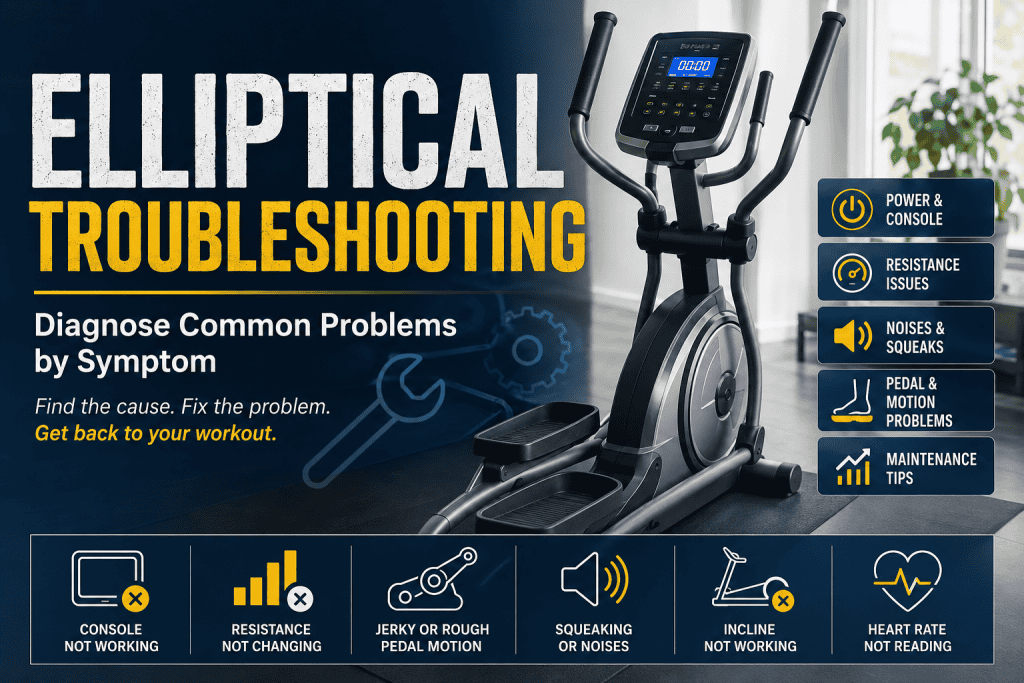
An elliptical can feel completely normal one day and strangely wrong the next. The console may wake up but the resistance never changes. A squeak may appear only when your left foot reaches the bottom of the stride. The pedals can start feeling rough, or the display can stop counting RPM even though the machine still moves.
The quickest way to waste money is to turn one of those symptoms into a parts diagnosis too early. A dead display does not automatically mean a dead console. Resistance stuck on one level does not prove the resistance motor has failed. A squeak is not an instruction to spray lubricant into every joint you can see.
Good elliptical troubleshooting starts by separating what the machine is still doing correctly from what has changed.
That matters because an elliptical is several systems working together. There is the power source and console, the resistance mechanism, speed or RPM feedback, the drive belt and flywheel, pedal arms and linkages, rollers or guide rails on some designs, and sometimes an incline or ramp actuator. Commercial machines can add self-powered generators, batteries and more complex control electronics.
The same symptom can therefore have more than one cause. The useful question is not simply, “What part breaks most often?” It is, “Where in the chain does normal behaviour stop?”
In this guide 19 sections
Start with three observations before touching a tool
Stand beside the machine first. Check whether the console powers up normally, whether the pedals travel smoothly through a full revolution, and whether changing resistance actually changes the effort at your feet. Those three observations divide most faults into useful branches.
Then pay attention to timing. A noise that appears at exactly the same point in every stride is different from a hum that occurs only when resistance is adjusted. A console that is blank from the start is different from one that resets after twenty minutes. A pedal that feels rough only under body weight tells a different story from one that binds even when the machine is moved slowly by hand with the power disconnected.
A symptom map for the first five minutes
| What you notice | Where to look first |
| No display or response | Power source, adapter or batteries, power switch, console wiring, or self-powered system behaviour |
| Console works but RPM, speed or distance does not update | Speed/RPM sensor, magnet alignment, sensor wiring or console input |
| Resistance number changes but effort does not | Resistance motor or actuator, magnetic brake mechanism, cable or linkage, wiring, lower control electronics |
| Resistance is permanently too hard or too easy | Calibration, power supply, brake position, servo or cable, model-specific resistance system |
| Squeak or chirp follows each stride | Levelling, assembly hardware, pivot points, rollers, guide rails, bushings |
| Grinding, rumbling or rough pedal motion | Rollers, bearings, drive belt, flywheel area, linkage wear or physical contact |
| Pedal or handle feels loose | Fasteners, bushings, bearings, linkage joints or structural play |
| Incline or ramp does not move | Calibration, actuator or lift motor, wiring, position feedback or control output |
| Console changes or resets during use | Power arrangement, connector movement, software, console or lower-control electronics |
When the console is completely blank
The first distinction is how the elliptical is supposed to get power. Some home machines use an external AC adapter. Others use batteries for the console. Some commercial ellipticals are self-powered and generate electricity as you pedal. Precor, for example, sells EFX models that are explicitly self-powered, while other console configurations require mains power.
That means a blank screen cannot be diagnosed from the screen alone. On a mains-powered machine, verify the outlet, the correct authorised adapter or power lead, the machine’s switch if it has one, and any obvious damage to the cable. On a battery-powered console, start with the specified batteries. On a self-powered machine, check the owner’s manual for the wake-up behaviour before assuming that a dark console is a fault.
If external power is correct but the display remains dead, accessible console connections are worth checking only with the machine switched off and unplugged. Assembly cables can be pinched, partially seated or damaged. A console replacement should come after the power path has been proved, not before it.
Touchscreen models add another wrinkle. A blank or frozen screen can sometimes be a software problem rather than failed hardware. Horizon’s current EX-59 support, for example, directs owners to a software update for a particular blank-screen condition. That is a model-specific fix, but it is a useful reminder to check current manufacturer support before ordering a console.
The console is on, but speed, distance or RPM stays at zero
This symptom is much narrower because the console has already proved that it can power up. The next question is whether the machine is receiving movement feedback.
Many ellipticals use a speed or RPM sensor that reads a magnet or rotating target. If the sensor moves out of position, the magnet is displaced, the cable becomes loose, or the sensor fails, the pedals can continue moving while the console loses the information it needs to calculate RPM, speed and distance.
Horizon separates this exact problem into its own elliptical service path, and older Johnson Health documentation uses the same logic: when the console is lit but time or RPM does not count, check the console connection and then the speed sensor or magnet.
Do not copy a sensor gap from a different brand or model. Sensor type, alignment and acceptable clearance vary. If the manufacturer provides an owner procedure, follow it. Otherwise, the useful owner-level evidence is simply that the machine moves normally while motion data is missing.
Resistance does not change even though the display does
This is one of the most useful elliptical symptoms because the display itself gives you a clue. If you press the resistance button and the number on the console changes, the upper controls have at least registered the command. The fault is more likely to be downstream.
On a magnetic resistance system, a motor or actuator may change the position of magnets relative to the flywheel. Other designs use different brake arrangements, cables or generator-based systems. The exact parts differ, but the diagnostic idea is the same: a command has to travel from the console to a mechanism that physically changes resistance.
A machine that changes the displayed level but feels exactly the same can therefore point towards the resistance motor or servo, the magnetic brake assembly, a cable or linkage, wiring between the console and lower electronics, or the control board that drives the mechanism. Johnson’s resistance troubleshooting material lists power supply, console cable, servo motor and console faults among possible causes rather than treating the motor as the only suspect.
Listen as you change the setting. A brief motor sound or repeated clicking can mean the system is trying to move something that is stuck or damaged. Silence does not prove the motor has failed because the command or power may never be reaching it. Either way, do not apply external voltage to a resistance motor or probe powered boards unless you are trained and following the service procedure for that model.
Resistance is stuck too hard, too easy or feels wrong
A resistance system does not have to be completely dead to be faulty. It can start in the wrong position, move only part of its range, or feel dramatically harder or easier than it used to.
Start with something easy to miss: different elliptical models do not use comparable resistance numbers. Level 5 on one machine can feel nothing like level 5 on another. NordicTrack explicitly notes that resistance levels are not standardised between devices. A second-hand elliptical may therefore feel ‘wrong’ simply because you are comparing it with a different machine.
If the same machine has genuinely changed, reset or calibrate it only through the procedure for that exact model. Older Johnson manuals instruct owners of some models to reset the console and allow resistance to return to its default position. Other machines have engineering or calibration modes that are not interchangeable.
A machine that remains extremely hard even at its lowest setting may have a brake or cable that is not returning, a resistance actuator stuck in position, a drive component rubbing, or another mechanical source of drag. A machine that suddenly becomes too easy can have the opposite problem. Treat the physical feel and the console command as separate pieces of evidence.
Squeaking and chirping: locate the rhythm before lubricating anything
Ellipticals have more joints than treadmills, which makes noises particularly easy to misdiagnose. A squeak can travel through the frame and seem to come from the flywheel when the actual source is a mast joint, pedal arm, roller or pivot several feet away.
The rhythm helps. A squeak once per pedal revolution usually points you towards something moving on that same cycle. A noise that appears only under a heavier user suggests load is changing a joint or frame connection. A sound that becomes obvious at high resistance may involve components that are loaded more heavily when the brake system is working harder.
Johnson Health’s elliptical noise flow chart uses exactly these distinctions: speed, resistance, user load, levelling, hardware and the location of the sound are used to narrow the source. The manufacturer also notes that many noise complaints can be resolved by correct levelling, hardware checks and maintenance.
This is where generic advice such as ‘spray silicone everywhere’ becomes risky. Some joints may require grease, some rails may have an approved lubricant, and some components should remain clean and dry. Use the lubrication points and product specified for your machine. WD-40 or a random household spray is not a substitute for a service instruction.
Grinding, rumbling or a rough spot in the stride
Grinding deserves more caution than a light squeak because it can indicate physical wear or contact. Move the pedals slowly with the power disconnected if the manufacturer allows it and feel whether the roughness occurs at the same place every revolution.
On ellipticals that use rollers on ramps or guide rails, dirt and roller wear can create a notchy or bumpy feel. Precor’s maintenance schedule specifically calls for checking that wheels run smoothly on the ramp and for cleaning both ramps and wheels. Some owner manuals also note that small particles left by roller wheels can be normal wear. That is different from a flat-spotted roller, chunks of material or a wheel that no longer rolls smoothly.
A rough sensation closer to the flywheel or crank area can bring bearings, the drive belt, pulley alignment or internal contact into the diagnosis. Once the source is behind covers or requires running the machine while exposed, the job has moved from observation to service.
Pedals feel loose, unstable or jerky
A loose feeling underfoot is not something to ignore simply because the machine still completes a workout. Elliptical pedal arms and linkages carry repeating loads through bushings, bearings, bolts and pivots. Play in one joint can make the whole stride feel vague and can load neighbouring parts abnormally.
With the machine stopped, check only the hardware and movement that the owner’s manual identifies as user-accessible. Look for a pedal platform that rocks excessively, a handlebar that has developed side-to-side play, a roller that lifts away from its rail, or an obvious loose assembly fastener.
Jerky motion is slightly different. It can come from a roller or rail problem, a drive belt, a bearing, a resistance mechanism that is binding, or a linkage that is no longer moving cleanly. The important clue is whether the jerk appears at one point in the cycle, only under body weight, or only after resistance is increased.
If a weld is cracked, a pedal arm is bent, or a joint can visibly shift under load, stop using the machine. Structural faults are not a ‘tighten it and see’ problem.
The incline or ramp will not move
Not every elliptical has adjustable incline, but on models that do, treat the ramp as its own system. The console sends a command, an actuator or lift motor moves the mechanism, and position feedback or calibration tells the machine where the ramp ended up.
If the display changes but the ramp remains still, the command has probably reached the console logic but that does not prove the actuator is receiving power. Calibration, wiring, the lift motor, mechanical binding and position feedback all remain possible.
If the ramp moves but the displayed position is wrong, calibration and feedback become more interesting than a completely dead motor. If it moves in one direction but not the other, stop guessing with wiring swaps. Direction control can be model-specific, and an unexpected ramp movement can trap fingers or place the linkage under load.
NordicTrack’s maintenance guidance for connected ellipticals is a useful example of why model-specific procedures matter: it recommends recalibration of incline and resistance after certain changes or moves on supported models. That should not be turned into a universal key sequence for every elliptical.
The console resets, flickers or behaves strangely during a workout
A console that starts normally and then resets is not the same problem as a console that never powered up. Timing brings movement, heat and changing electrical demand into the picture.
On an externally powered machine, check the correct adapter, wall connection and cable routing first. A connector that is barely seated can fail only when the frame moves. On a self-powered machine, the generator, battery or internal power path becomes more relevant. Touchscreen models can also add software or firmware faults that older elliptical troubleshooting guides never had to consider.
Try to record exactly what resets. Does the entire screen go black and reboot? Do workout values disappear while resistance stays unchanged? Does the fault happen when the handlebars move, when incline changes, or after the machine has warmed up? Those details are far more useful than simply saying the console is intermittent.
Heart-rate readings and other console data can fail without the machine being broken
Heart-rate features deserve their own category because a poor reading is not usually a drive-system fault. Contact sensors depend on hand position and skin contact. Wireless chest straps can be affected by battery condition, pairing and electromagnetic interference.
Treat those readings as fitness information, not medical measurements. Precor, for example, explicitly states that heart-rate features are for reference and are not intended as medical devices.
If speed, distance and RPM are wrong at the same time, that points back towards motion sensing rather than heart-rate hardware. If only heart rate is missing while every other value behaves normally, keep the diagnosis focused on the heart-rate system.
What an error code really tells you
There is no universal elliptical error-code dictionary. The same code can mean different things across brands and product generations.
Write down the exact code, model number and what the machine was doing when it appeared. Then use the current owner or service documentation for that model. A resistance-related error tells you what the controller detected, not necessarily which physical part failed. A sensor error can be caused by the sensor, its cable, alignment, power or a mechanical problem that prevented the expected movement.
Repeatedly clearing a code without recording the circumstances throws away useful evidence. If the code returns immediately after the manufacturer-approved reset, move from resetting to diagnosis.
Maintenance mistakes can create the fault you are trying to fix
Ellipticals are often described as low-maintenance, but that does not mean every joint should be ignored until it makes noise. Precor’s commercial maintenance programme includes checking visible welds and wiring, cleaning ramps and wheels, checking the drive belt and pulleys, inspecting power cords and verifying resistance across its range.
The opposite mistake is over-maintenance. Random grease can contaminate surfaces that should remain dry. Over-tightening a pivot can create binding. Using a thread-locking product where the manufacturer did not specify one can complicate later service. Taking covers off a machine under warranty can also affect support.
The safest maintenance rule is boring but effective: use the schedule, lubricant, fastener procedure and calibration routine for the exact model. Generic elliptical advice should help you understand the symptom, not override the manual.
A useful line between owner checks and service work
Owner-level troubleshooting is strongest when it is observational. Confirm the power source. Check the correct adapter or batteries. Listen for where a noise occurs. Inspect accessible wiring with power disconnected. Clean rails that the manual says to clean. Check accessible hardware that the manufacturer identifies as part of normal maintenance. Record whether resistance, incline and console values respond.
The line moves quickly once a diagnosis requires live voltage, exposed rotating parts, motor or generator testing, control-board probing, or dismantling a loaded linkage. Those tests can be completely reasonable for a trained technician and completely inappropriate as a casual home experiment.
Stop sooner for a burning smell, smoke, arcing, melted wiring, a hot power adapter, a cracked weld, a pedal or handle that can shift suddenly, severe grinding, or an incline mechanism that moves unpredictably.
Before you call for repair, give the technician a better story
A useful service description is surprisingly specific. Note the brand, exact model and serial number. Record whether the machine is mains-powered, battery-powered or self-powered. Write down any error code. Note whether the console stays on, whether the resistance number changes, whether the physical resistance changes, and where in the stride a noise occurs.
Also record what changes the symptom. Does it appear only with a user on the pedals? Only above a certain resistance? Only after fifteen or twenty minutes? Only after the machine was moved? Does a cold machine behave differently from a warm one?
Those details let a technician choose the right test instead of reproducing the entire fault from scratch.
The most useful elliptical troubleshooting habit
Do not begin with the part you think has failed. Begin with the first behaviour that stopped being normal.
If the console is dead, follow the power path. If the console works but movement data is missing, follow the sensor path. If the resistance number changes but the effort does not, follow the resistance-control path. If a sound follows every stride, locate the joint, roller or rotating component that follows the same rhythm. If the ramp moves but reports the wrong position, think about calibration and feedback rather than a completely dead actuator.
That symptom-first approach is less dramatic than replacing a console or resistance motor on a hunch. It is also how you avoid turning one fixable fault into two.
Other FixDecoded troubleshooting guides
Troubleshooting a treadmill rather than an elliptical? Use the FixDecoded treadmill troubleshooting guide to follow the same symptom-first approach for power, belt, incline, speed and shutdown faults.
Sources used for technical validation
• Horizon Fitness: Elliptical Troubleshooting – Current manufacturer support covering display, RPM/speed sensing, noise, static and resistance faults.
• Horizon Fitness: Display Issues with Speed, Distance or RPM on an Elliptical – Current manufacturer reference for motion-feedback and speed-sensor diagnosis.
• Horizon Fitness: Blank Screen on an EX-59 Elliptical – Model-specific example showing that a blank console can have a software cause.
• Horizon Fitness: Elliptical Resistance, Magnetic and Electronic – Manufacturer explanation of magnetic resistance operation.
• Johnson Health Tech: Elliptical Troubleshooting – Manufacturer troubleshooting for console power, RPM sensing, resistance and squeaking or chirping.
• Johnson Health Tech: Elliptical Noise Flow Chart – Service flow chart using noise location, speed, resistance, user load, levelling and hardware condition.
• Johnson Health Tech: Resistance Troubleshooting – Service reference for no resistance change, erratic resistance, power supply, cable, servo and console faults.
• Precor: Preventative Maintenance – Manufacturer maintenance schedule for elliptical frames, wiring, ramps, wheels, belts, power cords and resistance range.
• Precor EFX 535 Product Information – Manufacturer example confirming that some commercial ellipticals are self-powered.
• NordicTrack: Elliptical Trainer Maintenance – Manufacturer guidance on software, sensor checks and model-specific incline and resistance calibration.